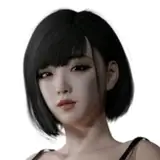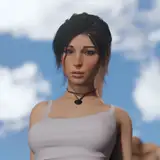
[Blender Model] Honoka - Alpha 1
Added 2021-07-09 16:35:54 +0000 UTCPlease read the instructions, otherwise stuffs might appear broken or not work at all.
Content of the release
- face model from the game
- custom body proportions, resembling the canon ones
- Eevee and Cycles ready
- tons of customization body morphs, emotions
- corrective shape keys for extreme poses, plus tweak bones
- one original outfit
- tons of additional new outfits
- MustardUI 0.20 (also users can now modifiy it, without writing a single line of code)
- physics implemented for breasts and bottom
- poses are available to use
Requirements
- Blender >= 2.93.1
- Diffeomorphic add-on
Notes
- This is part of an experiment with some new stuffs I'm using for creating models. It might be that some things are broken, so please report them! Also please, report any bug you can find in the MustardUI: it is a new completely rewritten version, so there might be bugs!
- Be aware about the performance. I tried to delete as much as possible useless stuffs to give you the cleanest version I could make, but the big amount of correctives can really slow down the model especially on old PCs. Unfortunately this is a combined problem of how Blender manage shape keys/drivers, and how they are stored and called by the Diffeomorphic addon (which again, should be installed!). If you experience any slowdown, I would like to suggest you to delete the Morphs you don't use after you set up your preferred body shape, as well as the Emotions you don't use. To do this, open the DAZ Import tab (press N in Viewport, selecting the armature), go in the Advanced Setup -> Morphs -> Remove Custom Morphs. Select all the morphs except the ones needed, and this will immediatly boost the viewport FPS.
Instructions
- only Blender >= 2.93.1 is supported. Blender 2.93 is not supported since some Eevee shadows might appear broken. Moreover, with previous versions, Blender might crash!
- install the add-on Diffeomorphic (http://diffeomorphic.blogspot.com/p/daz-importer-version-15.html). You don't need to set Diffeomorphic settings up if you don't want to. But at least be sure to have Diffeomorphic installed and enabled before opening the file! To prevent damaged emotions and morphs, the UI will not show the morphs if Diffeomorphic is not correctly enabled. I'm working on a stand-alone version, that doesn't need diffeomorphic to be installed, but for the moment please install this addon (that is also a great addon with a lot of useful functions).
- all the settings are available in the MustardUI (press N in the viewport and search for the MustardUI tab on the far right). You can tweak the skin options, enable the outfits, enable the physics, etc.. Check the full tutorial if something is not intuitive. Moreover in the UI you can find some pre-made emotions. You can also enable the Face (details) layer in the Armature panel of MustardUI: some additional facial bones will appear to tweak the emotion or make a new one.
- some bones to tweak the torso, legs and arms poses are also available, and can be enabled in the Armature section of MustardUI
- do not delete drivers unless you know what you are doing! Doing that might break functionalities. The driven shape-keys and properties can be controlled by MustardUI. If you are unsure, please contact me.
- for Eevee users, enable Screen Space Reflections, and inside that panel also enable Refraction and disable Half Res Trace. Failing to do this might create artifacts in the eyes rendering. I also highly suggest to enable Ambient Occlusion.
- for Cycles users, in the Light Paths panel, increase the number of Transparency Max Bounces to 16 or higher. Failing to do this might create artifacts in the hair rendering.
- the model uses Corrective Smooth/Shrinkwrap modifiers. If you find some odd clipping/behaviour while posing the model, try to disable them in the UI.
- the Physics can be enabled directly on the UI, for breasts and bottom. I tried to expose some properties (like jiggleness, inertia, etc..), let me know how it works!
- if you have any problem or you have poor performance in viewport, try to check Instructions or the FAQ. If you can't find the solution to your problem, or you would like to report a bug, you can contact me (contacts at the end).
The model can be found in the archive (Generation 3 folder), follow the link in this post
Comments
Hi! Some parts of the UI are not working with Blender 3.2. I suggest you to download the new Generation 3 model, as this is a bit outdated. :) If you have any issues, please contact me on Twitter/Discord, as here I might miss the comments. :(
Mustard
2022-07-09 16:32:01 +0000 UTCSorry I can not see the physics tab in the addon window, why is that?
zhenghansou
2022-07-09 16:11:54 +0000 UTCwow
Majac
2022-02-23 06:12:20 +0000 UTCgreat
Dear
2021-08-07 12:43:11 +0000 UTC