New/Active Patrons: Please check your welcome note in the 'Membership' section of the website for the links. If you can't find it, please message me and I'll send the links to you ♡
Cancelled Patrons: The welcome note disappears when you cancel, if you still have access for the month and need the links please message me and I will be happy to send you the links ♡
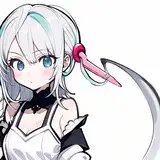
Silver Wolf and the Trailblazer have an intense gaming competition 🍑
There are 5 videos total for this release, including a male character version. I hope you guys enjoy it :D
Please give these lovely people a follow on Twitter/X who helped me make this:
Stelle - @RubyRed_VA
Silver Wolf - @KassioppiaVA
SFX pack - @HentAudio
Thanks so much everyone for supporting me I really appreciate it ♡⸜(˃ ᵕ ˂ )⸝
For those of you who plan to use the male scene data: For the purposes of making it easier to animate, the male character acts as a female character card, so if you want to change him to another male character, you will need to convert that card into a female card first by dragging the card into the base games female character creator.
Cards edited by myself, using these mods/cards as a base:
https://www.pixiv.net/en/artworks/113086397
https://www.pixiv.net/en/artworks/116568853
https://www.pixiv.net/en/artworks/108202714
https://www.pixiv.net/en/artworks/108782520
https://www.pixiv.net/en/artworks/109047645
https://www.pixiv.net/en/artworks/108937232
https://www.pixiv.net/en/artworks/109082113
https://www.pixiv.net/en/artworks/109306793
https://www.pixiv.net/en/artworks/106790911
Scenes also require these mods:
Vanilla Plus v1.3.1 Shaders by Xukmi
HF Patch/Better Repack mod collection
ShalltyUtils
If the camera is distorted and doesn't work, try removing the plugin "RealPOV.Koikatu.dll" from "BepInEx/Plugins"
Character changing instructions:
These scenes are made to work perfectly with my character models that I've made, there is no guarantee that your custom characters will work with these animations right away. I'll give you the steps needed to edit the animation to fit your characters if you need. This guide assumes you have basic knowledge about how to move characters in the Charastudio program. If you don't, there are guides online you can look up.
Step 1: Change character. The characters limbs will sometimes be linked to folders inside the 'Movement' folder. To move every limb at once, highlight both that character and their main top folder in the 'Movement' folder and move them around until they are correct. If limbs are mismatched, first try to move the character limbs normally using IK/FK, but if the limbs are linked to folders then go to step 2
Step 2: Open the characters 'Movement folder' in the workspace menu and find the final folder in the movement tree, and then move that folder to move the limbs (I have marked these additional adjustable folders with 'MOVEABLE')
Step 3: If you need to change smaller details like tongue/mouth/head position/rotation, then open up KKPE advanced mode and change the position manually of things there
This should work with most characters with a similar body size. If your characters are dramatically smaller/larger then the animation might not work correctly. If you have experience with Timeline, you could try to manually edit the animation folders etc, but there's not much I can do if you character sizes are too different sorry.
Alternatively, if you want to use my characters bodies as a base to copy over to your characters, you can use the 'KK_CharacterExport' mod (default key is CTRL E if you don't have the video export mod installed). This way the animation will sync up much easier.
Jabobco
2025-03-05 00:29:40 +0000 UTCFumiya
2025-03-04 23:42:04 +0000 UTCGurcan020320
2025-02-28 19:27:01 +0000 UTCJabobco
2025-02-07 13:14:24 +0000 UTCArtorius
2025-02-07 13:10:57 +0000 UTCJabobco
2024-12-18 23:23:39 +0000 UTCMike
2024-12-18 23:04:11 +0000 UTCJabobco
2024-12-16 09:52:30 +0000 UTCQantiec
2024-12-16 07:20:38 +0000 UTCJabobco
2024-12-08 23:53:31 +0000 UTCalex sampark
2024-12-06 10:45:53 +0000 UTC