Playing around with file size...
Added 2019-08-14 12:21:06 +0000 UTCI know, I know, you can't shut me up of late...
I said a while ago I'd been experimenting with file size. So far I tend to render as PNG and then compress to JPEG. This does save a whole heap of space on each file and, so far, hasn't been really noticeable in terms of quality loss.
Of course I use a lot of renders in my chapters and the file size has been on my mind for some time. I've been trying a few different solutions and recently have been looking at this
Some examples below:
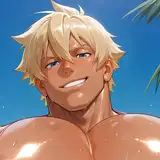
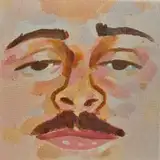
Original PNG: File size 4.44MB

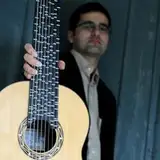
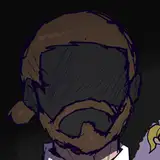
PNG to JPEG: File size 451 KB

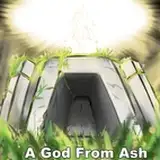
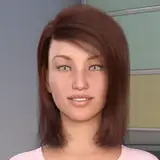
JPEG to TINYJPEG: File size 195 KB

There is a slight difference from PNG to Tinyjpeg but it's not huge. I'm thinking of using perhaps Tinyjpeg for the majority of the renders in the file and reverting back to JPEG for the *coughs* more interesting ones...
Doing something like this would reduce the file size to, say, about half of it's current state. So, at a guess, by the time we get to Chapter Ten the game would be around 3GB. Large but not unmanageable.
Thoughts?
Edit!
So here is a WEBP file: File size is 144 KB (I've had to take a snapshot and uploaded as a JPEG here as Patreon doesn't upload Webp direct.) So not much file size difference between Tinyjpeg and WEBP and there is a degrade in quality from the Tinyjpeg.

Comments
Yeppers. On darker scenes it's less noticeable but you're right. I certainly don't want to be using tinyJpeg on the "interesting scenes" for sure.
Nottravisgames
2019-08-22 06:29:46 +0000 UTCI think Jpeg is the sweet spot between size and quality do see quite a difference between the png and tinyJpeg
RDog
2019-08-21 16:35:27 +0000 UTCMaybe its my 48 year old eyes but I can't see much of difference. In terms of downloads, smaller is better.
hisstoryman
2019-08-15 01:05:29 +0000 UTCStill looks good to me! Although, I'm not super picky on pictures. I'm more keen on story.
acac
2019-08-14 21:26:10 +0000 UTCFiles uploaded :)
Nottravisgames
2019-08-14 21:25:00 +0000 UTCComparing this to the original files I can't see visible difference to png. I see slight difference over the jpeg and a marked one over the tinyjpeg and the other webp. :)
2019-08-14 19:43:55 +0000 UTCOriginal files download attached
Nottravisgames
2019-08-14 19:32:00 +0000 UTCJust keep playing with the files. Something will conclude eventually.
Quinfax
2019-08-14 17:50:00 +0000 UTCOne more attempt at 93 % webp. (285 KB): https://mega.nz/#!XYRwAAbI!EpEqcnu0fCtuZX5JLzZ9N3SaGDMi8ZR4JGZzNzk0UqQ
2019-08-14 13:53:52 +0000 UTCYeppers. Looks that way to me too
Nottravisgames
2019-08-14 13:21:05 +0000 UTC*points up* I did try Webp but the quality drop is noticeable to my eyes.
Nottravisgames
2019-08-14 13:20:52 +0000 UTCI second this. Webp seems to be more efficient quality/size-wise.
2019-08-14 13:05:17 +0000 UTCOn a different note, I'm not a fan of the webp format, for every example I've seen, it's been a very poor comparison to the original.
TotesNotThea
2019-08-14 13:03:20 +0000 UTCCan you post the source files for the three examples you have given above? If you did end up using a compressed version, would you still release the 'proper' uncompressed version for those of us that prefer it? From what I can see above (and not having the source files) the Tinyjpeg version is a marked change from the JPEG version; I don't see a big difference between PNG and JPEG though.
TotesNotThea
2019-08-14 13:02:22 +0000 UTCI've talked about it a few times, but there is the webp option. I personally use XnConvert that allows me to convert entire folders at a time and will keep the folder structure for the output. Using this, I'm able to drastically reduce the size of images. I can't post here to show you the difference in quality, though, and it's generally barely noticeable (I won't lie, sometimes you can see that the newly generated image has suffered a little). As an example, I had converted the entire Heavy Five image folder and went from 1.97Go to 450mo in less than 10 minutes.
Huitieme
2019-08-14 12:57:18 +0000 UTClooked at using webp format?
DA22
2019-08-14 12:35:57 +0000 UTCIts difficult to say for sure without seeing the images larger I feel. But those small previews look fine to me
MedicBear
2019-08-14 12:26:33 +0000 UTC