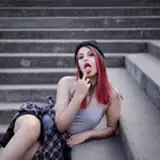
The effect works best on – figures, models, portraits, still life, inanimate objects, architectures, buildings, texts, logos – Pop Art Photoshop Action has got covered you from all angles. Moreover this action runs on any language of Photoshop.
After you run the action, you have the option to customize the various elements generated and create a masterpiece out of it! You can tweak different tonal elements generated – skecth line art, highlights, light tones, dark tones, shadows, midtones, patterns & much more.
What’s more fun? All elements are generated an random. So, every time you run the action, you will get a unique and different result from the earlier one. Also, you can commercialize the end product of the effect. What that means – although you are not allowed to modify and sell the action itself, but you can sell the final effects of the images on which you apply the effect.
Mix different styles to create your own stunning composition. Please go through the video guide on how to load up the action and customize the effects.
Tested and assured This action has been tested and working on Photoshop CS4, CS5, CS6, CC, CC 2014, CC 2015, CC 2017, CC 2018, CC 2019, CC 2020+ Tested with more than 50 images to assure the integrity of the action.
Recommended size The action works best with images having size around 1500px – 5000px high/wide and 72/300 dpi resolution. Using lower resolution images will result in lower details and clarity of the final composition.
If you have a lower resolution image, go to “Image” -> “Image Size…” and change them to the specified dimensions. Use can always resize to your original dimension after the effect has been applied.