Quick Menu...problems?
Added 2024-04-09 20:38:32 +0000 UTCIn Visual Novels there is a quick menu for saving, viewing logs, etc, and for mine I wanted a rather clean UI, so all the buttons are there, but I divided it into 2 sections. The first is the Back and Save that's always on screen. It's right under the dialogue. The rest are in a hamburger menu in the upper right screen.
So the problem I'm running into is when the dialogue box is not on screen, the Back and Save of the Quick Menu are still on the screen, and it looks distracting. I found a way to turn it off with the dialogue box, however, it also turns off the upper hamburger menu buttons (not the menu itself if the menu is already up), which I don't want. The only way I can figure out how to remove the quick menu Back and Save while the dialogue box is missing, is by manually doing it EVERY TIME, including scene transitions. This would get very tedious. So... the options I have before me are....
1) always keep the dialogue box up
2) let the Back and Save float on screen when the dialogue box disappears
3) let the Hamburger menu button disappear when the dialogue box disappears
4) Redo the UI and move all the buttons in the general same area.
I'm playing with the idea of maybe tabs on the side of the dialogue box that would go away with when the box disappears. It however doesn't match the filigree aesthetic that the UI itself has.
Alternatively I can put back the text on the bottom of the dialogue box, but I feel it looks a bit cluttered and maybe too much when dialogue is on screen.
Final option is limit the buttons I have to 3 or 4 (such as Back, Save, Settings) although shortcut keys will be accessible at all times, you'd have to know those key bindings.
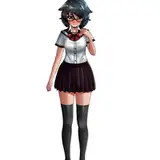
Here is showing what it currently is (forgive the stick figure placeholder, it was to allow me to gauge which expressions I needed for the scene), along with two options.

I dunno, what do you think? I would appreciate any feedback!
Comments
I've never see the tabs hovering idea, that actually sounds pretty awesome.
Masked Patron
2024-04-09 23:19:58 +0000 UTCI think that could work :). I've only played a few visual novels so far and I mostly used the keyboard for saving, but I like that you're trying to come up with something new!
Improcomics
2024-04-09 22:37:46 +0000 UTCwhat about the side tabs (it just changes color when you mouse over so you know what you are selecting, similarly to how when you mouse over a link it changes color)
Argama Witch
2024-04-09 22:26:52 +0000 UTCI think think the text on the bottom of the box is the best. I usually use hot keys for saving, but occasionally having them accessible at all times is preferable to hover boxes or anything that I need to wait for. Simple is best in my book :).
Improcomics
2024-04-09 22:17:26 +0000 UTCI personaly don't think having the menu options at the bottom of the text box is distracting, and if somebody wants to take a look at the full picture without the textbox, that could also just be an option which then reverts back to normal with a simple button press (eather the back button or just any button in general)
Florian Schwarzer
2024-04-09 21:02:37 +0000 UTCI do like the way how the save, back and other menu are separate and don't think having the dialogue box up all the time would be bad.
Jman_ex
2024-04-09 20:58:06 +0000 UTC