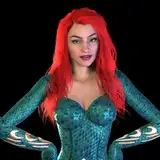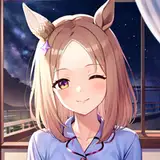
Pay with PayPal here
⤷ https://jinxxy.com/missymod/c5xyH
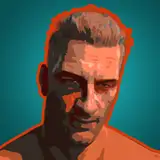
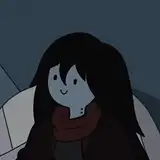
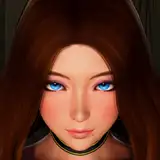
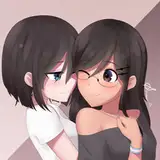
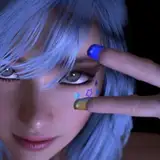
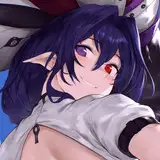
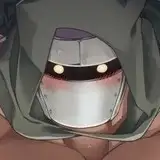
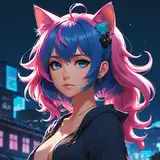
✧ 4 Front and 3 Back Hair styles
✧ CICI head Version + Femboy Toggles.
✧ Toggles: Cat Hat, Heels, Hoodie, Long Sleave, Shorts, Bodysuit, Long Tail, Puppy Tail, Puppy Ears, Upper and Lower Ears, Finger Band-Aids, Face Band-Aids, Blind Fold, Harness, Collar, Glasses, Fishnet Arms, Sharp Teeth, Outline, Elf Ears, Makeup, Face Shape, Freckles and Iris Shape.
✧ Brightness toggles ( White → Color → Black)
✧ Hue sliders; Iris L & R, Hair ( Emission and Base ), Clothes and RGB animation toggle.
✧ Custom face and ear animations
✧ Physbones
✧Uses 2022.3.6f1 | Phys Bones | Poiyomi Pro ( poi_Pro_9.1.2 )
✧ PLEASE HAVE KNOWLEDGE OF UNITY & BLENDER BEFORE PURCHASING
» Body Heels Harness Top and Panties: ZINPIA fit base
» Nail Shape & Body Texture: YingYangVR
» Hair-Shorts: Darcy» Jacket: Saikura
» Eyes: Eden
» Long Top: Vinuzhka
» Bodysuit: -ˏˋ⋆ 𝐋𝐨𝐤𝐢'𝐬 𝐕𝐚𝐧𝐢𝐭𝐲 ⋆ˊˎ-
» Arm Belts: Cringy Store
» Fishnets: Meowuw
» Head, Hair & Collar: sleepy
» Face Band-Aids: Team. Sector [C]
» Finger Band-Aids: Shizuki
» Cat Hat: друг
» Bangs: N I K K I E
» Glasses:★ kri ★
» Head 2 : CicieaaaVR
» Face Texture: HoneyLab (Edited by me NOT FOR RESUE )Software:
https://github.com/lyuma/Av3Emulator/releases
https://rafacasari.gumroad.com/l/av3creatorhttps://www.patreon.com/poiyomi
https://vrcfury.com/
» By purchasing license on use of this model you are agreeing to the terms of use
» DO NOT reuse assets or take parts / Asset mine. ( Please purchase assets from original creators then you may reuse with credit )
» Do not make this a public avatar or share unity package
» Do not claim the avatar as your own
»This is a digital product, refunds are not allowed
» DO NOT UPLOAD AND MAKE PUBLIC
» If you wish to share the model with someone to help make edits DM me first please for permission
» Streaming
» VTubing ( Converting to VRM )
» Creating content on: TikTok / Twitch / Instagram
» Going in the unity package and editing! (Please do and share your work in the discord )
discord.com/invite/HF7d5nw
Thank you for supporting me, if you are using this avatar without
having purchased it, please consider supporting me here;
1. Open Creator Companion and create new project, select "Avatar Project" as template and hit "Create Project"
2. When shown the Manage Packages window, add in "Poiyomi Toon Shader" ( Can be Pro or Free )
(if you don't have them, follow these links: https://poiyomi.github.io/vpm/ and add them to Creator Companion)
3. After they are added, select "Open Project"
4. Import Unity Package
5. Open Scene
6. Done!
If you need any other help, please look for an invite to my
Discord server and use the help channel!
https://discord.com/invite/HF7d5nw
✧ Please read TOS and rules posted on my Gumroad.
Thank you again, ✧
Missymod