v0.2 Beta 01!
Added 2023-10-31 20:39:20 +0000 UTCHi my lovely audience!
I wanted to give my Patreon audience a first look at the progress towards v0.2. If I were going to have released an improved v0.01, this would have been it... essentially v0.01.1. As such, it is designated as v0.2. It doesn't have all the content that I plan for v0.2, but is a nice stable build.
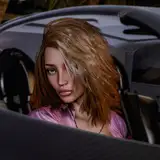
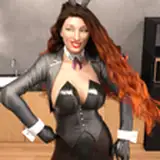
I have fixed the most egregious facial expressions, fixed bugs, denoised every single image, and replaced the black screen travel moments with some new scenes, with new character and a new location: Subway terminal and train (previously hinted).
Happy Halloween!
Comments
Yeah, I read the issue about the black lines, which is why I was fidgeting with that in Daz3d. I will try the render settings as well. For the previous images, GIMP it is. I will play around with post-processing some more. I guess I had a really bad assumption that people essentially got everything perfect in Daz, and post-processing was"cheating". Thanks!
Sanguineangie Productions (member)
2023-11-01 04:10:46 +0000 UTCYeah it usually has something to do with the hair causing those black lines on the face and usually the forehead in particular. One thing I always do when I set up my render settings is set the optimization setting in render settings to "speed" or "memory, instead of "auto". This can fix a lot of weird things happening especially with the eyes as seen in one of your renders of the main character. I always put my renders through some adjustments to brightness, shadows, saturation and color temperature. I just use the windows image viewer and use the built in "adjustment" option in the editor. And if necessary use the heal or clone tool in Gimp to get rid of anything like poke through.
Bobbyboy Productions
2023-11-01 03:57:27 +0000 UTCThanks Robert, yeah, I was so happy adding another scene because as you said, the world felt bigger and more real just by having a location outside of the office. I noticed that blemish as well and it has been driving me mad. I tried fixing it by messing with the hair, as I assumed the "hair helmet" was sticking out the side. The MC was a free character, and I think the way they did the face is a stretched image... maybe not the best quality. I was thinking I should just GIMP it, but wanted to try to fix in rendering, but I think I underestimated how much post-processing is done by artists.
Sanguineangie Productions (member)
2023-11-01 03:37:39 +0000 UTCJust played through it and I enjoyed the subway scene as it added a lot more depth to the setting of the game being in an urban environment. I noticed a few renders still had some daz-itis in them. The left side of the MC's face had that black squiggly line as well as that one render with the black in the corners of the eyes. Most people might not notice this but maybe because I work in Daz I see these things. Those kinds of things can be fixed really quick and easy in gimp using the heal or clone tool. Overall it's looking great!
Bobbyboy Productions
2023-11-01 03:00:31 +0000 UTC