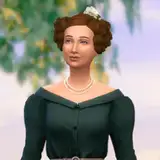
The "graininess" issue has been driving me crazy! I have played with lighting, with the cameras, read and watched all sorts of articles, many of them contradicting one another. Eventually I got fed up and drew on some of my scientific imaging background to denoise the image. First, I used GIMP and Gimmick, but it blurred the images wayyy too much. This denoising is amazing and I think I am going to use it as a batch process on the entire game!
What do you all think? It looks even better for the low-light shots of Divya.
Sanguineangie Productions (member)
2023-10-31 19:52:13 +0000 UTCItsnicetobenice
2023-10-31 03:47:10 +0000 UTCBobbyboy Productions
2023-10-23 09:42:01 +0000 UTCSanguineangie Productions (member)
2023-10-23 02:13:57 +0000 UTCBobbyboy Productions
2023-10-23 01:33:22 +0000 UTC