SakeTami
Shiroho
Shiroho

patreon


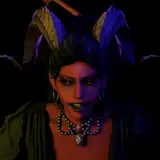
Phrolova - Ultimate Version

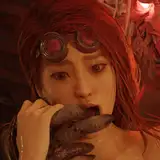
Here is the little extra I could manage for my carrot army! I really love what I called the "solar" version (blond+yellow/greenish sub color

Here is the little extra I could manage for my carrot army! I really love what I called the "solar" version (blond+yellow/greenish sub color) and I landed on it by totally messing with my texture layers : an "happy accident" that's how we visual artists are used to call that!

Keep in mind the color of clothes and hair have a common order but not the eyes. If I can give you one advice : I noticed picking a eye color different from the outfit sub-color or hair color works better with this particular mod. Finally the blue extra options are really close to a grey, hence I called it a "grey sky blue" and it's a good alternative for those who don't like green or her vanilla hair color.

--- Updated on the 31/Aug/2025 for the 2.6 version of the game ---

Phrolova - Ultimate Version

Comments

Oh... oh ok... wait. So you gotta know one thing first, what you ask is kind of tricky but it's fairly doable. And you will be happy to learn that you could figure it out by yourself only with my tutorials! So, firstly if it's not done yet, I invite you to visit the tutorial section and absorb all their knowledge. I think they're mandatory for any mod user. I put a lot of time into making them, each one of them almost took me what I need to make an average-to-modest mod. Inside that 1st tutorial you learn how to roll back a part to vanilla, so it would mean you would have to do it for all parts except the hair. It's just a bit longer a little more tricky but not so much if you get the mecanisms. I'll give you some helping clues so it makes your mission easier okay? Basically what you want is : - Go inside your Radiant Phrolova mod folder - Open the .ini file from the "character" sub-modpart folder with notepad++ - Go to the green beacon "Shading: Textures -------------------------" - Locate the line with : [ResourceTexture6] and delete everything there is inluding this line up to the next green beacon : "; Skinning: Shape Keys Override ------------------------" which is far away below - Don't delete that last beacon! Just anything before it and starting at that texture6 handling. What it will do : delete all texture replacement after the hair + eyebrows. Reversing everything else to vanilla. - Save your file! And it's done! Your toggleable option should still work for hair/eyebrows. You will get everything else vanilla. To revert back those changes sadly you will have to download the mod in whole again! Darn I'm such a nice rabbit for giving you those extra clues haha! (took me a time to check and write) Tell me if you succeeded, otherwise again read carefully those precious tutorials you might learn something that will make you tick and understand how it works!

Shirohô

Is there any way to only toggle her hair colour and keep the rest vanilla? Your mod is gorgeous but i love her vanilla outfit too much.

Sino Sanhui

Thanks my dear human <3

Shirohô

These are all great! I swear 90% of my mods are yours nowadays cause they are all so well made! Thank you for your hard work as always =)

Hyper

Thank you my dear Sleepy :>

Shirohô

it's GORGEOUS. thank you so much <3

sleepy


More Creators