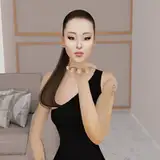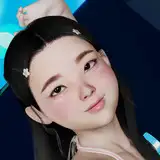
Hello, apologies for the late upload but I was experimenting with the scene and trying to make the ones with animations a little more complete, so I added a bit of expressions to her face and other parts including a bit of breathing on her chest (・`ω´・), (I think that It needs a bit more work but it can be updated later with the filesize of the scene (`▽´)) The next release will be the animated scene from the base scene of the previous release (・`ω´・) The animated scene has 4 parts with the first one being the insertion and iddle animation, the second a slow movement, the third a bit faster and the last an all-in, the face expressions are a bit different between each part (・`ω´・) you will see 4 buttons on the right or left of Angelica depending on where the camera will be when you open the scene. Extract everything inside AddonPackages and save her preset from the non-animated scene because of the extra morphs used. If you want her eyes to look at the camera when you are in front of her you need to change "Eyes Look at" on the AutoBehaviors tab Remember to download the Extra.zip from the older releases if you don't have them, they only change the environment a bit, and the following asset for the scenary https://hub.virtamate.com/resources/no-tell-motel-room.23389/ And the clothing in case you want to use it https://hub.virtamate.com/resources/jax-clothing-pet-play-set.7009/ https://hub.virtamate.com/resources/kellyyoga.25980/ (braces) https://hub.virtamate.com/resources/g-pumps.17385/ (heels) https://hub.virtamate.com/resources/eyes-lips-nails.4933/ (eye makeup) https://hub.virtamate.com/resources/blouse-and-shorts-set003.904/ (top shirt) https://hub.virtamate.com/resources/layered-makeups-and-beauty-marks.12411/ (lipstick) When changing models into the animation sometimes the difference in size can make the insertion to move out of the body, in those cases you can move down the model that you changed to make it match the insertion and then the hands of the other model if they look off You can also change the scale in the "Control & Physics 1" tab to make her more bigger or smaller without messing with the colliders