Actual versions 0.0.5
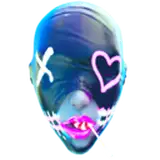
Update: Now there is a Face panel for expressionsc face morphs and some effects that I will add for new models.
This version of AlucifloUI is made for my models that I made and I will made, this is not the original version but is a "copy" with reduce quality because AlucifloUI is a big project of mine and I can't share it.
The Lite version can be use for others models and I create "creation tool" to make everything "one click" setup but is not available for the moment since is part of the original addon...I will create a version for Lite in time but for the moment I don't have any interest in doin that.
DOWNLOAD: https://drive.google.com/file/d/1TKIW_6rAA0PhfQ3S4pHcEkFoEBcb8gMB/view?usp=sharing
How to install and use:
1. Download the addon from above.

2. 1️⃣Open blender
(I will not show you how to open blender ;])
2️⃣Go to Edit and then press on Preferences...

3️⃣Go to Add-ons

4️⃣Click on the arrow on top right part under the close button(X) and after on "Install From Disk"

5️⃣Go to the folder that you download the addon and click on it and "Install From Disk"

6️⃣If you did everything right it should look like this

By default the addon will look like this(0.0.3):

7️⃣To use the addon: Click on the model Rig

If you find anything that does not work or any bug be free to contact me💙