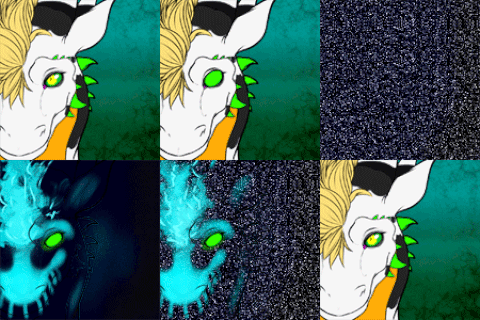
Face tracking add-on for Zoichi. Compatible for all face tracking hardware. Optimized for the Quest Pro with 109 custom face tracking, Unified Expressions, blend shapes. These include eyebrows, eyes, cheeks, jaw, lips, and tongue. Extra face tracking control ear movement.
2022/11/17 v2.0 - Upgrade to Unified Expressions
2023/04/17 v2.1 - Add face tracking patcher to remove FBX files from the DLC
2023/09/02 v3.0 - Updated to latest Zoichi pacakage (August 18, 2023), VRCFT v5, and VRCFury
2024/01/19 v3.1 - Update face tracking template and add face tracking ear control
2024/10/12 v3.2 - Update to Hash patcher and fix mouth closed blendshape
2024/10/21 v3.3 - Modified Animators
❤️ Don't forget to leave a rating ❤️
Patcher only works on the base model FBX, custom models will need the face tracking to be transferred.
Face tracking setups are designed for base Unity packages use caution for existing project, Adjerry91 is not responsible for avatar damages
Launch VRChat Creator Companion
Create new Avatar Unity 2022 project
Add/Import VRCFury to your project https://vrcfury.com/download
Add/Import VRCFT - Jerry’s Templates to your project https://adjerry91.github.io/VRCFaceTracking-Templates/
Import any shaders need for the avatar (Follow Base Avatar Directions)
Import Zoichi Setup.unitypackage
Import Zoichi_VRCFT_Addon_v3.4_by_Adjerry91.unitypackage
Open Unity, at the top of your Unity window go to “Tools” > “Jerry’s Face Tracking” and click the following patches and run
Zoichi Merged Patcher
Zoichi Separated Patcher
Note - Patcher will fail if FBX has been modified or does not match version of the add-on
Open scene "Zoichi - Jerry’s Face Tracking" in "Assets/Zoichi - Jerry’s Face Tracking"
In the Project window navigate to the “Zoichi - Jerry’s Face Tracking/FBX” folder. On your existing model click on the “Body” skinned mesh renderer, replace the “Mesh” with the modified FT mesh by dragging the “Body” mesh from modified FT FBX.
In the Project window navigate to “Zoichi - Jerry’s Face Tracking/Setup'' and grab the corresponding "VF - VRCFT - Zoichi" prefab and add it to the model.
2022/11/17 v2.0 - Upgrade to Unified Expressions
2023/04/17 v2.1 - Add face tracking patcher to remove FBX files from the DLC
2023/09/02 v3.0 - Updated to latest Zoichi pacakage (August 18, 2023), VRCFT v5, and VRCFury
2024/01/19 v3.1 - Update face tracking template and add face tracking ear control
2024/10/12 v3.2 - Update to Hash patcher and fix mouth closed blendshape
2024/10/21 v3.3 - Modified Animators
2025/04/05 v3.4 - Fix VRCFT prefab
Adjerry91 maintains the commercial rights to the face tracking setups, reselling or redistribution without Adjerry91's approval is prohibited.
Adjerry91 face tracking uses VRCFT Templates as the basis https://github.com/Adjerry91/VRCFaceTracking-Templates. The templates are under MIT license, credit is required if parting out animation and controllers.
Please report bugs and get help at the Jerry's Face Tracking Discord - https://discord.gg/yQtTsVSqx8