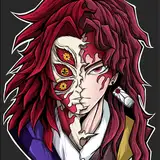
Zavis - The Seven Sins Series (PC/Opti)
Added 2023-12-16 17:27:45 +0000 UTC
Zavis' Unity package. Includes prefabs and scenes with different versions!
"You? Jealous of me? Really? Then take it. I never wanted a spotlight anyways. It bores me to no ends and has simply got in the way of my true role. I serve a bigger purpose than you or anyone else could ever grasp. I will obtain a power that is beyond anything seen to mankind."

Please visit my discord server for avatar requirements as well as other important information!
Zeffyr's Discord Server

Wardrobe
- 3 Main outfits
- Toggleable Accessories: -> Bandanna -> Gas mask -> Glasses -> Goggles -> Rings -> Lip Piercing -> Head piercings -> Body piercings -> Human ear jewelry -> Elf ear jewelry
- Mix & Match Hairstyles: -> Short hair (main/side) & Long hair (main/ponytail/long down)
Gimmicks
- Holster & Dagger -> Toggle a Holster and equip a dagger! Dagger can be equipped through touch dynamics or through a manual toggle. Dagger can be flipped in the hand and has a trail.
- Holster has special rigging to prevent as much clipping as possible near the hip area!
- Alchemy (Zavis' Book and the Alchemist's Stone) -> Stone and book spawns in with special sound/particle effects.
- Stone can act as a springjoint! With gestures active it will turn into a springjoint when you point at it. I can also be frozen through a world constraint and held back into the hand with a fist gesture
- Book can cast two spells. Activate the spell by opening the book and interacting with the summoning circle. Once all three lights are active you can either summon the giant snake or activate Zavis' 'Demon' mode. (instructions included in a text file)
- Potions -> Spawn in a potion, uncork it, and drink it! The orange potion casts a firebreath spell and the purple makes you invisible.
- Demon Transformation -> Triggering Zavis' demon form will turn his skin into a scaled snake look. This also activates vein emissions, a snake horn, and a tail to appear. A snake tongue can also be toggled.
- Big/Pet Snake -> Zavis has two pet snakes. One is smaller and spawns in coiled around his arm. The other is large, scalable, and placed in the world via world constraints. Both snakes feature idle animations and interactive reactions to your touch. The big snake also has a sleeping animation which is triggered when you're afk!
- Invisible Toggle -> Manually toggle yourself to turn invisible. It's great for surprising people!
Customization
- Body Modifications -> Skin color radial -> Tattoo toggle -> Sharp nail swap -> Fang swap -> Elf ear swap
- Hues/Metallics -> Hue shifts for clothing, eyes, pets/props, and demon skin. Metallics can be swapped to gold and hue shifted.
- Lighting -> Adjusts overall brightness of avatar. Great for adjusting to different world lighting.
Expressions
- 2 Swappable Expression Sets-> Default and Flirty (14 total gestures)
- Custom blinking idle that doesn't interfere with gestures.
- Choose between having gestures active on the LH, RH, or neither (good for dancers who want to still use the touch dynamics while performing but not have facial expressions occurring while doing so.)
- Swap Zavis' human tongue for a snake tongue! All of Zavis gestures will now stick out the snake tongue instead.
- Idle Toggle -> This turns off the snake tail and goggle idles.
- Contact Toggles
- Zavis smiles when headpatted and gets angry when booped.
- Grab mask toggle triggered by fist gesture with RH. Can be replaced on face with open hand.
Other
- Toggleable Audio Link
- Gogo Locomotion
- Customized Menu Icons
Optimized Version
- Toggles -> Tank top -> Glasses -> 2 short hairstyles -> Horn -> Veins
- Disappear Toggle
- Customization -> Skin color -> Tattoos -> Nails -> Fangs -> Hue for clothing, eyes, veins, & metals -> Swap metal to gold -> Brightness
- Expressions -> 2 gesture sets -> RH/LH gesture control
- Audio Link toggle
- Gogo Locomotion

- You cannot redistribute, share, resell or make this avatar/package public (Edited or as is). This package is to be privately used by you alone.
- I will not offer refunds for this package. If you run into any issues with the package you can reach out to me on discord.
- The assets that are not made by myself are NOT allowed to be reused unless you have purchased these assets yourself OR if their TOS allows it. Please see the credits for links to these assets and to check for their rules.
- The Daggers, Sheaths, and Book are NOT to be reused even on private models. They are to only be used with Zavis. They are not purchasable in any way as these were custom commissioned for this avatar alone.
- The rest of the assets on this avatar that are handmade by me can only be reused for PRIVATE projects. You do not have commercial rights to these assets unless you have purchased the rights for them through my Gumroad. This also includes any textures drawn from scratch by me.
- This avatar is set up for VRchat. Please contact me first if you would like to use it for a different platform.
- Failure to follow these rules will result in legal action.

- Daggers, Sheath, & Book commissioned by Foxaldor (Link)
- Ace Body base by Misty (Link)
- Short Undercut Hair by Kittyz#6666 (Link)
- Jin Atonic's Male Hair Pack 1 by - jinAtonic#5724 - (Link)
- Hair cap by Zinpia (Link)
- Elf Ears by B o o#8584 (Link)
- Canvas Sk8 Shoes by KC (Link)
- Snake tongue by Eggly (Link)
- Potion Bottle and Liquid Shader by Sicknesst (Link)
- Particles by Hovl Studio (Link)
- Eye texture by wetcat (Link) - Overlaid on infected eye texture.
- Body texture by Naudine (Link)
- Gogo Locomotion by Franada (Link)
- Poiyomi Toon Shader (Link)
- Feature Showcase video by Clikk (Link)
- Cinematic Lore Video by Pink (Link)
- Store/Banner Pictures by Stormy.vrc (Link)
All other assets were made by me!
Upload instructions & Tips/FAQ Text file are provided upon purchase!

Thank you for purchasing my avatar and supporting my work! Because of you, I can continue to pursue my passion in avatar creation. :)
Below are upload instructions as well as an extra text file that runs through the avatar's features in detail. There us an FAQ included that you may reference for basic information.
Run into issues/questions, want an upload, or want to share any pictures/edits of my avatars? Visit my discord server! You can open a ticket for questions and you can post your pictures in dedicated channels.
There are also upload instructions in the upload support channel of my server! Please visit my server for more info.
Please consider leaving a star rating! It is greatly appreciated.
ততত ততত ততত ততত ততত ততত ততত ততত ততত ততত ততত ততত ততত ততত
Upload Instructions:
Make sure to have Unity 2022 and VRChat's Creator Companion installed.
Create a new project in Creator Companion. Name it whatever you like and make sure to select the 'Avatar' project version.
If you want SPS to work, you will need to import VRCFury! If you don't already have VRCFury added to the Creator Companion, go to this link and install it. Use the Creator Companion to import it into your project.

Please keep in mind that you should have the SDK's and VRCFury updated to the latest version!
Open the project and import Poiyomi Toon Shader (Click here to go to download page)
Now, import Zavis' Unity file and wait for Unity to crunch all of the included textures.
Once finished, open up Zavis' file in the 'Project' tab and click the Unity scene labelled 'ZAVIS'
The model is all set up for you! If you are ready to upload the model, Open VRChat's SDK control panel (located at the top of the Unity window) and a new window should pop up. Go to the builder's tab, name your avatar, and set up your upload picture. There's a provided upload image in the scene. If you select 'Capture from Scene', and click the Use Custom Camera option, you can drag and drop the main camera into the camera slot and the Thumbnail will be set up for you. Just click capture and it's done.