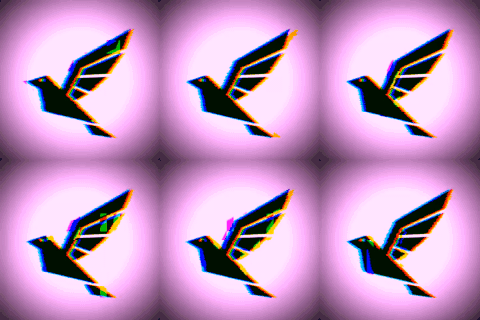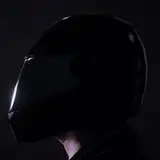
INCLUDED
INSTALLATION
Download into your VaM\AddonPackages directory
Select Led Mask & Cat Hoodie in Clothing and load preset(s)
Select ClothSprite
Choose LedMaskMaterialmask and check _MainTex & _SpecTex.
Check Autoload Dimensions & check start animation
HOW-TO
Create your own SPRITE from any GIF image.
Navigate to https://ezgif.com/gif-to-sprite/
Upload your GIF image

Depending on how many frames are in your GIF, you want to set the Columns so that you get an even grid for your sprite image.
So in this example, 24 frames, with 6 columns will generate a Sprite image of 6 x 4.
Choose either PNG or JPG and Convert to Sprite Sheet!
Save the image WITH the columns & rows. ie. Sprite_Sheet[6x4].jpg
KNOWN ISSUES
Mask will deform with Head & Mouth morphs. Ideally the default figure should be used. The mask is simmed fix most deformation caused by the morphs, BUT due to the amount of sim there will be huge delays while moving since the mask is pretty much floating over the face.
Long Fingernails will clip thru the hoodie.
Due to limited body colliders for the male, there will be some clipping with the hoodie (mainly around the abs) You can increase collision distance and/or minimize upper body bending.
Also Zero out the Micheal morphs for the male to remove any deformation.
NOTES
Originally I was planning to do the mask as a Unity asset to prevent morph deformation AND to have emissive images (emissive script doesn't not work on moving images). But I would've ran into the issue of loading images/presets and creating a new script.
I did remember that I had my ClothSprite I made from my Queen of the Damned outfit last year which could handle almost all the function I needed. I did update the script to fix some minor errors AND to be a 'behind the scenes' script so that you just have to load it once, set it and let it do it's job (like my watch script).
You can create your own sprite, just make sure to include the dimensions in the filename (ie. Sprite_Texture[Columns x Rows].jpg) This way when you load the image into the mask, the script will automatically set the correct dimensions (make sure to check Autoload Dimensions) to show the sprite animation.
You can also just scroll a static Image (like the Hello World text) by uncheck 'Tile Textures' or add 'notile' to filename (ie. Static_Texture[Columns x Rows]notile.jpg) Setting Columns will scroll the image horizontally. The higher the column value the smoother it will scroll. Setting Rows will scroll the image vertically.
I really tried to find a way to import the mask so that it isn't affected by head morphs, but none were successful. The only option was to sim it so that it wasn't affect by head morphs.
I did base the mask on a real LED MASK and most of them were all wearing hoodies, so hence the cat hoodie. I did make it an oversize version so pants aren't required.
I've also added an alpha for the built-in Ultra Cat suit to masked the exposed skin. It's optional, since you can always choose the Dummy Skin and set it to black.
And as a bonus I made the Squid Game outfit. You can scrub the animation to choose what shape to show on the mask.
Credits
Made everything from scratch.
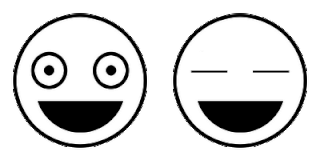
emoji & sprite found online.
If you download the Led Mask & Hoodie version, please remove it or you'll have doubles. All the files in there are in this version.