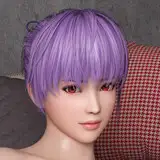
This guide will help you get Virt-A-Mate and SuperVAMDeepthroat running smoothly and teach you everything you need to know!
I've created TUTORIAL VIDEOS, showcasing the whole installation process for those new to VAM and those interested in Early Acess Updates:
- HOW TO INSTALL VAM + SuperVAMDeepthroat Public Release Version. (click to open link)
- HOW TO GET THE EARLY ACCESS VERSION Tutorial. (click to open link)
TO LEARN ABOUT
RECOMMENDED GRAPHIC SETTINGS,
USEFUL KEYBINDINGS
& MORE
VISIT THE GAMES HUB PAGE HERE:
https://hub.virtamate.com/resources/supervamdeepthroat.32496/
To get all links mentioned in the videos and for those who prefer a step-by-step list please continue:
1. Download the VAM Updater from MeshedVR. Here is a direct link: Updater Zip Download (Patreon page: Downloading and Installing VaM)
2. Become a Patreon of MeshedVR and Subscribe to the Teaser tier or higher at this link: Meshed VR | Creating Adult VR Games and Simulations | Patreon It is 2$ + tax (one time payment)
SuperVAMDeepthroat is free but playing user generated content in VAM sadly isn't! The game is an amazing sandbox well worth 2$ (I have no affiliation with its developers)
3. Unpack the VAM_Updater.zip in the installation folder of your choice (SSD is recommended) open the VAM_Updater.exe and click install!
4. Once its installed click on launch desktop. Next, grab your VAM key from MeshedVRs Patreon here: Downloading and Installing VaM 1.X | Patreon (under Keys)
5. Enter your key inside VirtAMate (Key symbol) then open the VAM Hub (left option)
6. Search for stayblocky, supervam or SuperVAMDeepthroat, click on SuperVAMDeepthroat and click on DOWNLOAD ALL.
After all components have installed simply close the Hub (bottom left), click on scene browser and open SuperVAMDeepthroat! Be patient with loading times, if VAM is not responding keep waiting! Once the scene opens you have to allow the plugins of SVD. I recommend "allow all" so the message doesn't bother you next time :)
You're ready to enjoy SVD! There is some additional information on the SVD Hub page for recommended settings, if there's a problem with your game experience give it a look!
If you have any questions or need help feel free to ask!
Love you all, I would have never made it this far without your support!
-StayBlocky
Siena Jordan
2025-03-29 16:39:22 +0000 UTCstay blocky
2024-09-20 11:05:50 +0000 UTCVNKTS
2024-08-26 08:38:16 +0000 UTCstay blocky
2023-04-13 22:27:24 +0000 UTCOddora
2023-04-13 17:49:08 +0000 UTC