Due to Gumroad now taking 30% in fees from Discover purchases, the price of the Bunnia has been raised.
There's no way for me to only raise the price for Discover purchases, so to get the Bunnia at regular price without the extra fees. Click the button below.
TLDR: Click below for normal pricing.
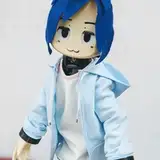
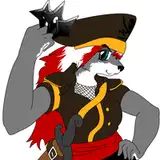
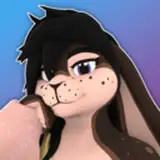
After a very long time working on this model, trying to make a bunny that I felt fit me, I'm proud to share them with everyone!
I hope you will love them as much as I do!!
This Model is Technically quest compatible. Although it was NOT designed for it.
If you do buy the version with Clothes on quest, you will be limited to 2 materials, so you will have to decide between hair, or one piece of clothing.
The Bunnia uses VRCFury for easy setup and customization. Everything included, from the base avatar to all clothing are pre-configured prefabs which can be added by just dragging them onto the model in unity. All toggles and menu parameters are automatically added!
(Without Clothes)
PC: Medium Rank, 2 Materials, 3 Skinned Mesh Renderers, 31,890 Triangles
Quest: Very Poor, 2 Materials, 2 Skinned Mesh renderers, 26,824 Triangles
The content of this page and listing, including but not limited to the Images & Video, Text and Avatar Assets are copyrighted materials. No content on this page may be used in the training, prompting, input, output or etc. of Generative or Non Generative AI Models, this is Including but not limited to, Large Language Models (LLMs), AI Image Models and or Generators, AI Video Models and or Generators, etc. Usage of any material on this page that is consistent with these examples is explicitly forbidden.
If you need any help or run into any issues, please let me know on discord!
My Documentation site is by NO means done yet. I have very ambitious plans for thorough documentation, so expect that to evolve and get more detailed over time.
Get Unity Hub from The Unity Hub Page
Get The Creator Companion from VRChat.com(Login Required)
Get VRCFury from VRCFury.com (or add the VCC Repo to your Creator Companion)
Using the VRChat Creator Companion allows for a quick install and easy future updates for things like clothing packs and assets!
BUT the workflow in unity is different than you're probably used to. Its not difficult, just different.
If you are interested in this and want to try it, Read The Guide. It will show you where things are.
Unity Packages will always be available.
Please have all the requirements installed before adding the unity package to your project!
You will probably be more familiar with the workflow for unity packages.
ALWAYS make backups or use a form of version control like git with your projects, regardless of if you're updating!
I've written a brief updating guide as part of the V2 release notes that covers a couple issues you might run into when updating, Check it out here!
If you’re using the Unity Package version of the model, you will need to import the UnityPackage below.
There is no update package as the majority of the project has changed. So be sure to make a backup!
If you’re using the VCC integration, Just update your packages from the creator companion. Once in unity, navigate to and import > Packages/Shiapra - Shia Bunnia/Prefabs & Variants.unitypackage
Warning This will overwrite your custom materials as many settings have changed for V2. If you wish to keep a copy of your materials, you should rename them or move them to a different folder prior to importing them.
V2 for quest will be coming soon!
These files are only for updating a previous unity scene. If you are downloading for the first time, you do not need these. Visit my Documentation Site for Instructions.
Below are archived, older versions of the unity projects and Blender Files. These are not necessary to download and are left here just in case.
This is used for the VRChat Creator Companion integration.