The Latest - February 2021
Added 2021-02-28 23:05:55 +0000 UTCHey everyone,
Hope it’s been a great month! A couple of new tutorials this month and I’ve been trying to shift a bit of energy back over to expanding the library... I actually haven’t been able to build it quite as much as I’d hoped over the last year, given the limitations on getting out and exploring with the camera. Many of the existing assets are from “texture day-trips”, where I’d take a solo mission to a historical town, a military museum, or anything else within a few hours that seemed likely to have some interesting grit and grime. Luckily, some of the best stuff comes from actually trying to hand-create textures, which I can do right in my own backyard. So, a few new elements created here in the lab, with some making-of snapshots below...
Hope the year is going well for you. As always, I thank you kindly for your support!!
Cheers, Brady
Oh, still thinking about those updates to the site - I’ve just gotta change gears and put on my web developer hat one of these weeks :)

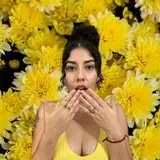
Glow Like a Pro - Simple one, but seemed like an essential for the catalog!

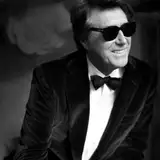
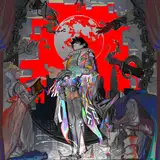
Digital 3d Blockhead - Not a simple one... but I had so much fun experimenting with this. Also a great exercise for strengthening skill sin the 3d workspace, a highly under-rated facet of Photoshop. Of course, the 3dd stuff is not for everyone.... I’m getting back to some more traditional straight-up graphic design oriented tutorials next!
Creating New Textures

After a few failed experiments with tempura paint and flour paste, I picked up some Plaster of Paris from the hardware. Mix it up and hurriedly get some on a piece of black cloth.

The goal was to generate some subtle organic cracks and crackle. I was imaging something that could be overlayed to create an antique cracked painting look.

Tea staining some paper; 10 bags of tea oughta do it. I had this sitting next to my coffee and almost drank it a few times.

This box from an iMac I purchased makes a great backdrop for macro photography. I can use it to calibrate razor sharp focus on my favorite beast, the Voigtlander 65mm.

You’ll notice that while some of the images are balanced to black for screen mode or white for multiply, I often balance to 50% grey. I find that using the contrast blending modes with 50% grey-ish textures gives you the most natural balance of light and dark tones - perfect for cracked surfaces and weather paper. You’ll find most of these textures in the Grunge Light and Grunge Crackle sections of the site.

Grunge 210 and Grunge 215, both set to Hard Light blending mode.
Have a great month and thanks again!
Brady