TUTORIAL - How to Customize Ars Goetia Daemons
Added 2020-11-03 08:15:51 +0000 UTCAKA: How To Mod My Mod.
I was asked if this is possible, technically... yes. You can make the mod spawn your own Sims, be ware that:
1. I didn't test this with sims having CCs, ever
2. custom sliders may very well mess up the sims
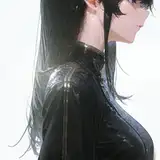
So, let's say I want to replace Undine with this Sim:

Step one: save her to the Library:

Name, traits, aspiration and occult do not matter. The mod is always going to spawn the Sim the way I set it. That's controlled by other things.
Step 2: open Sims4Studio and press CTRL + Shift + C to bring up this cheats menu, write Tray and press OK

It will load the content of your library. Select the Sim you want to use:

Right click on it and select "export SimInfo"

Save the file somewhere and make an empty package in S4Studio, click on ADD - SimInfoResource:

We need an instance for it, so let's do it:

I use FNV32 High Bit because I found out it mess up things less. Also, leave the Group to 00000000, and replace the last 8 digits of the instance with the one you generated:

On the new resource, click on Import:

Find the file you saved before. If you can't see it, set the file type to All Types:

Import it into the mod, open Ars Goetia and find the four SimTemplates:

Demon Test is the one with the hood. The others are pretty easy to understand. I'll select the Ondine one:

The highlighted number is what we want to change to the instance of your own sim you imported into your own package:

Like this:

Save your package, save Ars Goetia. Put your package in the mods folder. The mod will now spawn your sim in place of mine.
Comments
i can't wait to go through this. Your tutes always make things clearer to me in ways thamake my other mod attempts so much easier. tyy
Tara W Turner
2021-10-13 02:21:38 +0000 UTC