
I started my Ariane in Paradise Remastered project. Going from Poser to Daz Studio is tricky. Until recently Poser was the better program because of usability and persistent bugs in Daz, but Poser has a limited support crew since it was purchased by Bondware, and doesn't have the better models, so Daz Studio jumped ahead. Being free helps, too.
I've been using Daz Studio all year with Dating in a World on Fire, but because I have to write, code, and render, I'm having trouble learning Daz Studio as well as I need to. That's the second reason for this Ariane in Paradise project. First reason is of course making the pictures look better.
 Very few people have gone from Poser to Daz Studio, and I've been using Poser for a quarter of a century since Poser 2 (they are up to 13). Now 3D programs are 3D programs, so techniques in one program convert well to other programs. The issue is I don't know how to do those techniques in Daz Studio, and that requires Bing.
First lesson: things designed specifically for Poser won't always work in Daz. The number of figures props and sets in this category is surprisingly small. People want to sell to both groups of users, so it is mostly older props (pre-DS) stuff.
The Victoria 4.2 model, what I've been using for the last dozen years or so, was made by Daz, so it can work in both, but oddly Poser offers more support to the figure than Daz does. There are morphs available in Poser that fix issues to Victoria 4.2 that haven't made it to Daz Studio, because they moved on since 2015 to only supporting newer models.
After doing some testing, I've found all the major sets that I made AiP with work in Daz except two: The hotel in the beginning of the game, which I replaced by a similarly named set by a different company, and the Sailboat I used which I needed for the opening cover picture, so I found a similar one on Daz. Luckily Daz had huge sales over the Memorial Day weekend, but I still spent a lot for new figures, characters, clothes, and sets for this project.
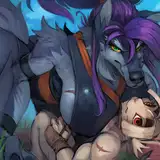
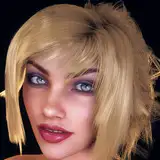
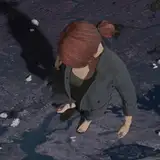
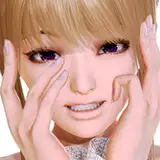
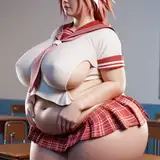
Top picture shows Rachel with better Supermodel hair than last week, and also the new male player character, still a young black haired scruffy looking tourist like the old one . Second picture shows the new hotel set and the new female figure with classic blonde bob hair and blue eyes like the old one.
Last week I mentioned that Ariane is based on a Daz model named Lacey, but the skin I used came from another character named Rory (it has a "tan" that Lacey skin doesn't). The female player is actually the Rory but with Lacey skin textures.

Daz Things I learned
1. How to render with background images. This is surprising easy in Poser, but surprisingly hard buried in menus in Daz Studio. When I did the Alice in Wonderland section earlier this month, I did it the hard way because the Wonderland characters were Poser figures that didn't work in Daz so I had to render them separately and mix renders from both pictures haphazardly without this trick.
Would have made that section a lot easier if I knew how to do this. But now that I know I am using it in special circumstances as needed. The Rachel supermodel "poster" is use in the background of the swim shop, so I decided to reconstruct it in Daz and that is where I learned the photo background technique.
 Had to use it in this picture. When you meet Rachel either at the Pirate park or the Yacht, she shows this picture of Ariane naked that she took in SITAR. Could have used the original old model pic. I could also load the whole set into Daz, but that would have taken hours to redress the set, so I compromised and re-rendered the original in Poser at 1440p without the bridge or Ariane.
I'll admit the hard way would be better as this looks like a picture in a studio with a projected background, but it's a single picture. Good enough.
 Making this picture taught me several techniques. The city set is HUGE, and this picture requires 6 high resolution characters with it.
2. How to load primitives. In poser you just load cube, cylinder, plane and sphere props and color as needed. Turns out Daz is the same except it's a menu item. (Really, I need to learn what's in all those menus.) Most props are built in other programs like Blender and Maya and ported to Daz and Poser, but sometimes you have to make your own. The mallets used by the xylophone player are cylinder sticks with spheres on the top.
3. How to duplicate props. Both Poser and Daz have "Duplicate" options in the Edit menus, but they work different. If I do a simple "duplicate" on the mallet, it will only duplicate part of the mallet. I have to duplicate with hierarchy to copy the whole mallet. By the way the balls were attached to the sticks in the file ("Phrasing") but are floating above the sticks in the render. Guess I still have more to learn.
4. Importing OBJ files in Daz requires a lot of trial and error. The xylophone is such a OBJ files (3d shape files compatible with most 3D software with texture files, or texture placeholders) and loading it in the town using the default settings it made it bigger than Godzilla towering over the city. Finally got it to a reasonable size so I can use it in the band with the magic mallets. Some Poser props that won't load normally in Daz can be loaded as OBJ files, but moving parts won't work. The Dodo Aviary Jeep might have to be loaded this way.
5. Splitting renders up is not that complicated in Daz, just time consuming. While I managed to get the entire town and all 6 characters loaded at the same time, it was slowing my computer to a crawl. So I saved the three foreground characters and the cameras and lighting as a "subset scene" and deleted them. Then rendered the band in the town as an image. Then created a new scene using the subset data and the band image as a "background" so I could load poses on the foreground characters easier and make images.
By the way, this is the top I chose for Day One Ariane. It's not as sexy as the white halter I used before, but it's loose and reveals her boobs when she does a handstand. Priorities!
 6. Putting characters where you want them in a huge set: This pirate village set loads characters in front of the castle way over there in the background, and in Poser it takes a long time to move them in place. This is where Daz Studio is easier. I use "Perspective View" to get to the part of the set where I want the characters to be. Then "Add Camera" and select "Copy Active Perspective View" to make a camera positioned where you are looking.
Load your characters, and right click each one in "scene" and select Change "Character Name" Parent... and UNCHECK "Parent in Place" then select the camera you just spawned and the character will move to the camera. You might need to use "Perspective View to see, but positioning the character in front of the camera from this is way easier. Then Change "Character Name" Parent... again and RECHECK "Parent in Place" and select None at the very bottom of the list. The character will stay where you put it.
Sounds complicated but it comes in handy so often it becomes second nature once you learn it. You can change parents to other props or characters as you need instead of the camera. You can also do this to put props in your characters hands by changing the parent of a prop to the characters hand (without "Parent in Place" on). The prop is unlikely to be positioned correctly, but it is easy once it is near or in the hand.
 7. Parenting can also be used to move characters cameras and lights to different parts of the set easier. I had to move Ariane and Rachel to the ship, so I parented Rachel to Ariane (with Parent in Place checked so I don't merge them) then also parented the camera and the spotlight I was using to Ariane as well. Then all I had to was move Ariane to the ship and Rachel the camera and the lighting all moved too so I can easily do the renders I need there.
Bonus pointer: Set Draw mode to "Hidden Lines" mode when doing big moves like this. Way easier.
1440 FTW!
I have heard of other creators making 1440p AVNs, though the vast majority are still 1080p. UHD (2160p) seems like overkill at this point. Especially since a lot of people play on phones and steam decks that can barely do 1080p.
But as part of this AiP rework, I am rendering everything in 1440p as a test. Not only does it look better, it expands to full screen in 4KHD much better than 1080p does. You can still shrink the screen to any size with Renpy if you need it smaller.
Of course this means I have to re-render DiaWoF in 1440 too. Once I get the plot figured out I'll start that project. So much work!
But the truth, I'm enjoying myself. Making new renders that still match the story of the game is a fun challenge, and it is like playing a complicate video game. The only change I had to make that affected the dialog was the halter that Ariane is wearing. It is supposed to be a "sunset" flip top, and I tried loading the texture, but the "tie dye" design that came with the prop looks way better.
My goal is not to "cut" material because it is too hard to render. So far it is working.
Watch for a sneaky surprise this weekend!!
SYH
2024-06-08 02:41:53 +0000 UTC