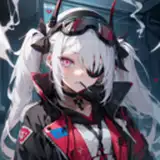
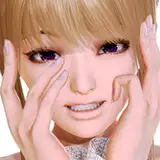
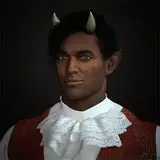
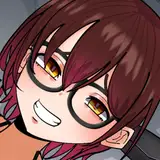
XooX
Added 2022-04-26 21:29:25 +0000 UTC
XOOX WILL BE REMOVED FROM MY STORE THE 15 OF JUNE!
Use this last chance to purchase XooX at a reduced price (40$ ➤ 25$)
Join my Discord server to access a discount code that will offer 50% off of XooX for the remaining time she will be available!
Join ServerXooX the pufferfish samurai~
This avatar is a little over 1 month of fulltime work, I pushed myself as much as I could to deliver a high quality avatar with as much features as possible.
I hope you enjoy using it as much as I enjoyed making it, thank you for all of the support - HoloExe
UPDATE: Ver.2 now available! This update refine the toggles and add features surrounding the DPS shader.
UPDATE: Ver.3 now available! This update convert XooX to the new Vrchat Physbones update.
Vrchat 3.0 / Unity 2019.4.31f1 / [DPS~Vibe Mod]
- Full Body Ready
- 7 Customs Face Expressions
- DPS with Vibe mod ready
- Everything is toggleable
- Good physics with colliders
- Physbones Ready
Features
Clothing Menu Toggles
- Hats (Horns/Straw Hat/No hat)
- Dressing gown
- Harness
- Latex top
- Panty
- Jewelry
- Stockings
- Shoes
Extra Accessories Menu Toggles
- Katana [Fist gesture pull out the katana]
- Kiseru Smoking pipe [Hand Gun gesture blow smoke out of the mouth]
Colors Adjust Menu
- Skin Color [3 skintone: White,Tan,Black]
- Hair Color [Hue Shift]
- Hair Black and White mode toggle [Change the Hue Shift into black to white]
- Eyes Color [Hue Shift]
- No blind eye toggle
DPS Menu Toggles
- Mouth Ori
- Vag Ori "Belly Bulge"
- Butt Ori
- Right Hand Ori
- Left Hand Ori
- Futa mode Toggle
Extra Orifice Menu Toggles
- Breast Ori "Latex Bra Bulge"
- Thighs Ori
- Left Foot Ori
- Right Foot Ori
DPS Toys Menu Toggles
- Toy Toggle
- Toy World Drop Toggle
Locomotion Menu
- Fullbody Floating mode Toggle
This avatar will receive updates in the following months
- Vrchat Dynamic Bones Update
- Belly Bulge with the DPS Shader
- Toy toggle with the DPS Shader
- More Ori points
Credits
Straw Hat , Horns , Hair , Hair Texture , Head , Mouth System , Body , Dressing gown , Harness , Bracelet , Rings , Shoes , Katana , Locomotion , Showcase by Kiwi Kawaii#8888
Terms of use
- By purchasing this package you are agreeing to the terms of use.
- You are not allowed to redistribute/share anything out of this package.
- You may not use anything out of this package for your own character/avatar.
- You are not allowed to make profit in any sort of ways out of this package.
- You may only use this avatar for your own personal use.
- Private upload only solely on the account of the buyer.
- Youtuber/Streamer if you use this avatar as your main mascot you need to credit me somewhere in your description.
- You will not receive any help regarding the setup of the model, such as a direct upload. Please have basic Unity knowledge upon purchase.
- This package is non-refundable under any circumstances.
Package Installation Guide
Make sure you do these steps in order for a flawless upload
- Make a new Unity 2019.4.31f1 project.
- VRC SDK 3.0
- Dynamic Bone Script
- Poiyomi Pro v7.2.06+ (If you use toon you will not have the Fur shader)
-
Locomotion Fix v5.06+
-
World Constraint v1.0.1+
- (Optional) VibeGoesBrrr v0.4.15+
- Model Package
-
DPS Shader and run RalivPenetrationForPoiPro plugin Located in the plugin folder of the DPS Shader
- Open XooX Scene located in the XooX folder
- Make sure to lock all of the poiyomi material before upload [Otherwise Color Adjust Menu might be bugged]
- At the upload menu, reset VRCCam transform for the avatar image