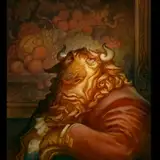

This month's Monster of the Month is the Aphid Rancher. Though not quite a monster himself, his aphids definitely are. (If you ask the tomato plant anyway.) The Aphid Rancher is a character personifying the tragedy of the commons. "Take everything you can, let others care for the common good!" He exists only for his aphid honeydew, and the rest of the world can burn so long as he's got it.
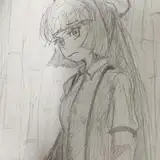
This character was done as an exploration for a project Annie and I have been slowly developing. My goal this month was to produce one character painted in pencil and digital, and then month to paint another in oil. We will compare the two to see which fits the format of our project best.

Being an exploratory image, it is a bit of a learning experience, and there are mistakes here and there that I am hope to not repeat in the future. For one, I had hoped to produce a very simple vignette of the character, which would feature the single figure knocked out from the background with only a sparse suggestion of his leafy environment. Instead I got carried away and ended up drawing a whole panoply of dying leaves and a lush, dew drop-laden leaf with aphids charging toward it, and then an entire horde of aphids in the background, and after a bit it just sort of became a full illustration. In hindsight, I wish I would have picked a lane, either singling out just the character, or painting a full illustration. Lesson learned. Still, I really enjoy this for what it is and had a lot of fun with the character!
PROCESS GUIDE:
This painting made in the usual style of light, color, & blend; light, color, & blend on repeat until it looks finished. ("Finished" can be a somewhat vague target, I know.) As you can see in the style guide below, I went through this cycle only twice here before landing on a spot I was happy with:

For the Lighting passes, I tend to use brushes set to multiply and warm neutral colors to darken, and for light I am using pure white with very opaque brushes. The effect is nice murky shadows, and sharp, detailed highlights with a lot of interesting information in them.
For the color passes I am doing much the same, using brushes set to either multiply or soft light to slowly build up transparent dark colors, and then bright opaque brushes for the higher, saturated colors. (You'd think I'd have found a way to combine these two steps by now, but that fabled passage remains elusive.)
Finally I blend these together, primarily using mixer brushes. Formerly, I was working on billions of layers, but nowadays I am all on one layer, fingers crossed I don't screw anything up. So far I like it for the time it saves, and the simplicity and directness it encourages.
When in doubt, just take the next step. If I get lost, I start over, add a layer of light over my current section, then add color over that light, then blend them together, and keep going!
Lance Red
2025-02-05 16:49:13 +0000 UTCJustin Gerard
2025-02-02 14:25:12 +0000 UTCLance Red
2025-02-02 02:52:14 +0000 UTC