Shooting Selfies with a DSLR (Quick n' Dirty Tutorial)
Added 2020-05-28 20:17:12 +0000 UTCHey babes!
I'm super thankful for all of you voting for which tutorial you would like to see next - the next big tutorial will be focusing on posing tips for standing + laying down. It's going to be a bigger one for me to prepare for ya'll, so I will dedicate next week to it!
I just wanted to give you guys a mini-tutorial in the mean time while I get that one prepared!
***
Quick n' Dirty Tutorial: Shooting Selfies with a DSLR (how to use your phone as a remote timer).
This is the method I use to shoot all my selfies through my DSLR.
Things you need:
- DSLR with WIFI function (most modern cameras have this, unsure if yours has this feature? Hit up our overlord Google!)
- A smart phone and the respective app for your camera [for Canon the remote control app is called 'Camera Connect' for Nikon/Sony/etc users I'm not sure what your app is called, but google will probably be able to tell you!]
- A tripod
The method:
1. Set up your DSLR on your tripod, make sure the app is downloaded.
2. Set up your WIFI settings on your camera to talk to your phone. Your camera + application on your phone will walk you through this step by step! [see below for where to access your wifi settings on a Canon camera]
3. Set your camera to 10 second timer
4. Use your phone as a remote and start your sexy selfie-ing!

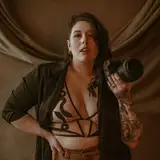
My dudes, this is easiest the best way to take selfies that I have found. You get to use your phone as a timer AND a view finder. Meaning you can be in your pose and micro-adjust your posing + body to how you like it. You just hit the shutter button when you're ready, and hide your phone under a cushion or toss it out of the photo!
If you're unsure if your camera is set up for this, and need some help, feel free to reach out!
And if you use this method to take selfies, feel free to tag me in the results if you share them online! I'd love to see what you babes come up with!
Lots of love,
Mxx