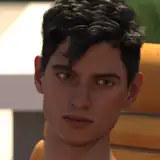
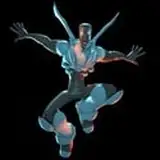
ComfyUI Wan 2.1 Video2Video First Frame Restyle
Added 2025-03-10 15:08:02 +0000 UTC
Video Tutorial : https://youtu.be/nDLMQcC1bQI
More Advance Info. for Patreon Supporters to check out: https://www.patreon.com/posts/124050582
In this video, we dive deep into the latest video-to-video editing techniques using the WAN 2.1 AI model, combined with advanced tools like Flux ACE, Flux Redux, and the Hanyuan Loom. Whether you're a beginner or an experienced video editor, this tutorial will walk you through step-by-step workflows for restyling and animating videos with precision. Learn how to use image references, in-painting, and custom nodes in ComfyUI to create stunning, stable, and coherent video outputs. We also explore the differences between Flux ACE and Flux Redux, and how to optimize your workflow with GGUF quantization for lower VRAM usage. This video is packed with practical examples, including character animations and style transfers, to help you master video-to-video editing like a pro.
Who is this content suitable for?
This video is perfect for video editors, AI enthusiasts, and content creators who want to explore advanced video editing techniques using AI tools. Whether you're working on creative projects, game animations, or professional video production, this tutorial will provide valuable insights and actionable tips to elevate your workflow.
Why does it matter?
Video-to-video editing is revolutionizing the way we create and transform visual content. With tools like WAN 2.1, Flux ACE, and Hanyuan Loom, you can achieve high-quality, stable, and creative results with ease. Understanding these techniques not only saves time but also opens up new possibilities for storytelling and visual expression.
Attached workflow for freebies Wan 2.1 FlorEdit With Images Input