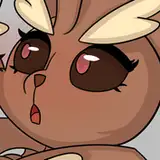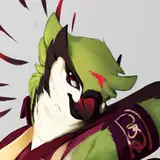
Sometimes you just gotta get that lood griffongo back to your roots and draw a lewd Griff. Big Thanks to @Carred20 fer commissioning this , I had a lot of fun doing it ^^
And with this one I thought id share my process so...
The commission was of one "Gabby spreading with a lil teat action"I knew from the getgo that I wanted to render this one differently than how I usually do, inspired largely by how Nicholas Kole renders his stuff (Excellent artist yall should check him out https://www.artstation.com/happyrock )
But anyhoots, The first sketch flowed out pretty easily (1), and I got a pretty average pose but I was really suprised with how well the wings came out, I think im finally starting to figure them out. There were a couple things bothering me however those being the legs and the head, both of which I felt werent quite anatomically accurate. I fixed the legs first (2) debating on if the head really was messed up, and after getting the sketch ran through I realized I hadnt even included what the client wanted XD To which they kindly asked me to fix. So I added the spreadage and a few teats and redrew the head and talons (3), quite satisfied with how it came out finally (4)
Once the sketch was fairly tightened up, I began adding the flat layer, only instead of lining the drawing first and then adding color, this time I more or less made a sillouette of the character underneath the sketch layer, using it as a guide as to where to put the color. From there I added in all the flat colors of the character as well as a little light tone on the parts of the body facing the light. Then I began adding darker lines in the crevis' of the body as well in areas that I thought could use a bit more outlining.
Once I was satisfied with that, I created a multiply layer and added very subtle shadows using a large airbrush. This gave the character a much softer look. After that I created another multiply layer and used the paint bucket tool to completely fill the image. I then used a hard earser brush to cut out the places where I felt the light would hit, creating simple shapes first and then later shaping them to the contours of the body. Finally, I broke out a couple Add and Color Dodge layers to add some highlights to the character, as well as a Level Adjustment Layer to boost the values and make it look prettier more or less.
For anyone that made it to the end I hope you liked! If yall end up liking these process descriptions I might start doing them more frequently, but till then, ciao ^^
Fenekku Kitsune
2020-02-15 00:07:43 +0000 UTCkatarjin
2020-02-14 21:56:20 +0000 UTCTenno
2020-02-14 19:31:51 +0000 UTC