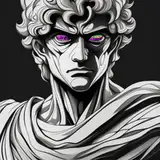
I zoomed through this set (with only "minimal burnout"😎) and let me tell you, it could have been done a whole day earlier if I didn't decide to do a small batch edit.
I decided to run it through an auto-detailer to get the eyes a bit nicer. They were already good enough to post, though they were all unintentionally simplified in the face clean-up process. (Cause I was using the "dragon ball super" tag to get more consistent faces.) So, this would be the perfect job for an auto-detailer. Already cleaned up and defined eyes that just need a bit of texture beyond a flat color. I send the whole set through it and... I'm missing 95 images.
Queue hours of troubleshooting. At first I assume that the auto detailer just didn't detect the eyes so it didn't output anything. I thought this is fine but I still need the images that didn't get improved to be in the final set. Now I could have just gone through every image in both folders 1 by 1. I did not do that. What I did is I asked ChatGPT if there was an easier way to do this. It was like "oh you could do a color histogram check or you could check for variables in the hash." and I'm like "cool, hook me up." So long story short, after some troubleshooting that didn't work either. I had negative margin of error. I was getting duplicates and missing images. I do some more testing and I find out that the batch image uploader is actually only allowing images with the same aspect ratio. I dig through the custom node pack that added this node. I can't find it. Turns out it is a region in a much larger node. I correctly identify which group it belongs in scroll through the giant list of Python code and find something that looks correct. I copy the region of the Python code that looks like the node I'm having trouble with. I paste the whole thing into ChatGPT then tell it "Hey, can you fix this so it'll just allow different aspect ratios?" "Gladly" ChatGPT answers. Then it spits out a segment and says "Hey, this is a whole new node." That didn't even load. So, I take the bottom section of that Python code and replace it in the original; it works but it gets the 1st result and then stops operating because it's like "Oh, Yep! Pack it in we're done here. We got our result" and then ChatGPT was like "Oh well I guess you need a ForEach node." I don't know what that is. I don't care anymore. I'm done with troubleshooting. So, I searched through a database of comfy UI nodes and there is one that has ForEach functionality. I cloned the whole repository. Reloaded that bitch up for at least the third or fourth time. Add the node to the workflow. Annnd... this is for videos not images.
Time to switch gears. I know the problem is the aspect ratio. That means all the images that are already done have the same aspect ratio. I just need to find the ones that don't have the same aspect ratio in the original set. I go over to Claude and I ask it "hey can I have a simple Python code that sorts images in the directory this is executed in into different resolution subfolders?" I get it. it works. Oh wait, there's a ton of different unique resolutions because I've been cropping images. "Oh Claude dearest, I've made a fucky wucky. Could you do it by aspect ratios instead? Then just have a separate folder for all the weirdo aspect ratios?" I get it. It works flawlessly. There are still 4 images in the one by one aspect ratio folder that weren't completed. But whatever, I've learned my lesson I go through and I look for those four images out of 194. I find them. I copy them over. Great. Now, I just have every other image that refuses to work. The issue is they won't work in a batch. I realize that I don't need to batch process I can just queue up however many images there are. I just need to set it to increment to the next image every time. The load image node doesn't have this functionality. But, if you turn the image in the load image node into an input you can connect a primitive node to it and it will give you this option. Problem. It doesn't let you load from the path where the images are like this. It has a designated input folder where it stores a copy of everything you've ever put into comfyUI. I just drag and drop that entire mother 'effing folder of everything that's left into the input folder. Highlight all the images. "oh looks like there's 91 left" Select the first image. Set it to increment after it generates. Queue it up to 91 times. It works without flaw. Now, even the images that did not have eyes to detect, still go through and make a copy in the output folder that I can just slam into the already completed folder with the rest of them.
The messed up part about this is I'm still leaving a ton out. That was just the bit of it that wraps up into a nice narrative bow. I left out that I also made a Python code to add leading zeros to the windows default naming scheme and fucked up tremendously on that repeatedly. (So, the images would be processed in the correct order and it would be easier to find them.) I made an image fall back node. (So, that if it doesn't get a processed/completed image it will still send the original image through to be saved.)
Anyway, today is Thursday, June 19th, 2025. @10:11am US Eastern time. Just imagine how much you haven’t noticed changing. But, I’m sure it’s fine. Probably.