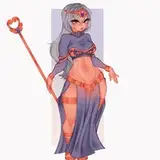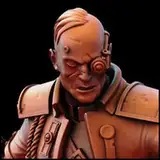
In the year 2660 humans have evolved with the help of technology. Fusing their bodies with robotic parts helps increase their life expectancy. While some choose to show off their upgrades in a fashionable way, others are more discreet.
Inspired by the artwork of Hajime Sorayama, Collection Thirteen will take us to another planet in a far away galaxy, so join us as we present to you the future of fashion.
All of the garments are made with custom image textures, however the colors can be easily adjusted by adding a Color Ramp node between the Image Texture Node and the Principal BDSF. Of course feel free to change garments to any color you would like.
Each garment has multiple materials that all have their own properties and transparency. So you will need to play with the colors to make them match each other. I recommend setting the colors in render view. The lights change them because of the shine or transparency, so it may look ok in material view but once you render it it can be different.
The Metallic Textures on all Bodysuits, Boots, and Under Garments is CYCLES COMPATIABLE ONLY. They are custom textures that I created but unfortunately I could not make them EEVEE compatible. If you are an EEVEE user feel free to change the material to a metallic one that works for you.
Looks 04 & 06 have two versions of their Capes. One is static and the other is blowing in motion. After you select the Cape you would like to use simply hide, or select the other one.
Looks 01, 07 & 09 use a Particle system to create beading. The origin objects called Gems are in their own Collection and YOU MUST HAVE THIS FOLDER IN THE SCENE YOU PLAN TO USE FOR THE PARTICLES TO WORK! You can hide the collection or move the objects out of the camera frame but if the collection is not in the scene the particles will not work. These particles can also be quite heavy, if you do not have a strong computer I recommend lowering the Display and Render amount in the Children Settings
The Helmet has a Shape Key to adjust the position of the Visor. In the Property Outliner click on Data and look for Visor Shape Key. adjust the value and the Visor will move.
The Visor also has its own Armature so make sure to assign it to your rig along with the Helmet Base.

I have noticed that the majority of the community uses shoes that have been made with the heel slider, so I have built each garment with that in mind. No one wants to see gowns that don’t hit the floor… 😅
These garments are very high poly, it’s the only way to give you the quality you deserve. I recommend working in Solid View and Hiding Particles while placing your sim in blender. This helps reduce lag in the 3D window. That being said, depending on your computer specs they should Render reasonably quickly.
These items are BLENDER ONLY. They will not work in your Sims games. To use them simply append them into the scene where you have your nude sim, then sculpt the garment to better fit your sims body. I normally select the elastic deform tool and make sure the X axis symmetry is turned on. The last step is to assign your sims rig and you are good to go.
I hope you enjoy and don’t forget to tag @hensley.atelier so we can see your photos and share your work!!
https://www.mediafire.com/file_premium/fd5iknoe5uwcp6h/Collection_13.zip/file
SxllyBxtch
2024-04-07 09:16:53 +0000 UTC