Here is a making of an animation I did. I wanted to show how rough the animation starts and how I refine it as I go.
Here I wanted to make an animation of a creature coming near the a door but seen from the little fish eye window. Therefore having to do a fish eye animation and background. This creature would open it's mouth and a giant worm would come out of it.
Here is a very rough concept.

Here is the line background I did afterwards. I tried to bend the perspective so that we have a fish eye perspective.

And here are two versions without door light and with.


Then I did the layouts of the characters, first there is a man coming close to the door then an insect comes out of it's mouth.

And here is the insect coming out of him.

I ended up not adding the pink light at the end since it was quite long to animate.
This insect coming out of the man's mouth is inspired by this worm (I think is one of the biggest in the world):

Then I started animating on tvpaint.
This is for me one of the more important parts of animation, wich is having a very loose rough animation.
First I started by doing one pill shaped body and a potato shaped head. Here I focused in how the size changed how the creature comes close to the camera. And also the head is following the motion of the body as if it was a lifeless puppet. Always be careful with arcs so that the motion flows naturally.

Then I added arms and legs to have the overall motion of the body, at this point is important to keep evrything very simple, body and head are elliptic shapes and limbs are rough lines. The more rough the easier to change and adjust and redo your animation.

Then I added the motion of the insect popping out of it's mouth. I made it's stomach fill then his torso and then the mouth opens, this way we have the feeling the insect comes from the guts of the person.

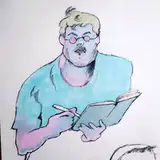
At this point I was happy with the overall movement of the creature, therefore the rough animation is over and it's time to tiedown the model. Add details, add clothes, hair, glasses... Follow the layout drawings you prepared.

Then the longest part of this process: the clean. I enjoy animating this quick movements and transformations because the quicker the movement the wobblier you can make your line.

I also try to add motion blur during quicker movements: I make the line wobble even more.
In the image below you can see how the line changes.

Then the nicest part coloring. This is quite a easy step using the tvpaint automatic paint bucket tool.

Then added some lights and shadows to add some volume to the character.

Here is the final version of the shot with the finished background.

You can see the final version with sound design here: https://youtube.com/shorts/GLPmCqosWyk
Let me know if you have any question and want to know more about some part of the process!
Rodrigo Sousa
2025-01-17 09:49:46 +0000 UTCRodrigo Sousa
2025-01-17 09:47:01 +0000 UTCvarjak
2025-01-16 23:39:22 +0000 UTCMarianne
2023-11-04 14:32:20 +0000 UTC