Thumbnails
Added 2023-04-19 17:12:45 +0000 UTCSome thoughts and work process. As I'm working on my storyboard, I wanted to share with you some stuff about the importance of making thumbnails. It's something I learned very slowly and late, was pretty unnatural for me at first but it is finally really crucial.

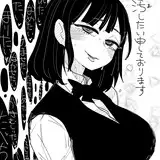
So here, at first some sketches I did for starseed in thumbnails. I did at first all these tiny pictures before going to A4. Well, was not maybe needed, but it helped a lot to not make 2 drawings too close and to be able to see almost all in one look. The composition also is easier ofc to set and correct on small pictures than when you are on your big sheet of paper, as you have already some perspective.
I think it's quite easy to recognize some of them even if the thumbnail is about 10cm tall.

Another batch here. As I wanted also some different points of view than in my comic, and a mix between erotic and not, that what also quicker to set all of this in thumbnails than if I had 20 A4 pages.

last 4 pictures. The most problematic stuff is to be able to keep the dynamism of these tiny lines in big (almost always the case as I already said between sketch and lineart/inking).
And so it goes for the storyboard. Here the storyboard of Mothership, the first issue of my zine Silence, only 10 pages and well, my first storyboard and drew in the train. It's quite messy and even not understandable for others I guess, but I kept all the composition I did there. I really learned here that it is really important.


In the second one I worked also on the cover, and you can see (maybe) how I have changed from A4 vertically to A3 horizontally, which is now a principle of the zine for covers. It's really helps a lot to set stuff up in this size.
For starseed, I make the storyboard better, I made exactly the good ratio size of the final pages, add even some titles that I wrote in my little scenario.

So, in conclusion, even for just an illustration, thumbnail can help a lot to set a composition properly and to save time. Drawing in little make you a stand back, that you can't have in bigger.
For digital, as you can zoom and dezoom, it's not totally the same, but now I always have the picture I'm drawng in a corner in little and I look to it pretty often to spot any mistake or things which don't work. If it seems bad on little, it will be worse on big ^^'.
That's it, sorry for the wall of words ^^'