My approach on animating with Timeline
Added 2020-12-06 17:43:05 +0000 UTCHello,
I have already been asked couple of times to make some kind of a tutorial on how I animate with Timeline. Since I am noob at making tutorials, I though I just make a little guide and document my approach on how I animate. It really is not rocket science, because Timeline is very powerful tool and all you need is time and patience.
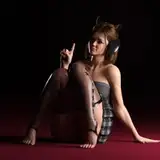
For this little guide I picked this kneeling animation as an example.
Step 1 (Blueprint):
First of all I search a video about what I want to animate. For that kneeling animation I used this clip from pornhub. The girl starts to kneel at 3:01.
(Sometimes when I can not find or do not want to bother with searching a video "blueprint", I just stand up and make the move I want to animate myself, trying to analyze the key frames I need. I do it mostly for little stuff like steps and turning around.)
Step 2 (Preparation):
After I found my blueprint I setup some things.
I make the initial starting pose using the following atoms with position and rotation turned on (head, chest, hip, both hands, both knees and both feet). All other atoms are turned off.
(You will not need all these atoms turned on in every animation. I just use them when lot of movement is involved)
Then I disable inactive targets in VaM (Nr.1), so I only see the atoms/dots I want to animate
create animation from current frame (Nr.2),
add the controllers (Nr.3) which are exactly the same as the turned on atoms (head, chest, hip, both hands, both knees and both feet)
and finally change lenght of the animation (Nr.4) to something reasonable. It does not have to be very precise, since you can adjust it at any time.
Step 3 (Animation):
Now its time to start making the Keyframes. I do it in desktop mode with keyboard and mouse. Some people say it is better done in VR, but I kinda find it quicker for me to navigate and adjust stuff in desktop mode.
Here is a short video of the process how I usually animate. (I made the UI bigger just for showing purposes): https://youtu.be/ckaX1SdHBQI
Its pretty wild but it kinda shows my workflow of making single keyframes. Also I usually check the "blueprint" video from time to time to stay on track.
After the main frames are made I adjust timings between the single keyframes cutting and pasting them back and forth (like I did in the video between 1:13 and 1:17), so the animation starts looking more natural. (I also sometimes do this while making keyframes aswell).
Another useful feature of Timeline, which I recently started using, is 3d visualization of the movement of single atoms (blue line in this pic). You can turn it on for every single atom/controller under "Targets" tab. This helps to adjust and make the animations smoother, when I do the polishing part.
__________________________________________________________________________________
This is pretty much it. I hope it helps you a bit in animating or at least provides some useful tips :) If you dont understand something or have questions feel free to write it in the comments, or ask me directly on patreon or discord (preferably discord, cause its easier to share videos and pics that way if needed)
Comments
Thanks. Useful - trying to figure out this plugin myself right now
geo_gan
2021-02-21 14:09:43 +0000 UTCThank you <3
VRDollz Chloe
2020-12-16 02:12:10 +0000 UTCThank You!
Beantown2004
2020-12-11 03:29:30 +0000 UTCThank you so much!
H2 Kyle
2020-12-07 07:16:09 +0000 UTC