The Microchimera (VRchat Avatar)
Added 2024-10-17 21:09:41 +0000 UTC
greature
A little creature... inside your computer???
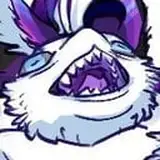
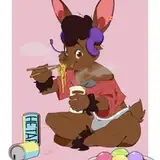
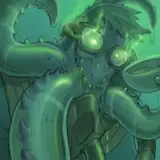
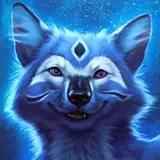
Introducing the Microchimera: an open species of small digital beasts created by Micromera. These strange hybrid beings are not quite alive but not quite artificial. They spend their time jumping from device to device hunting for delicious data to feed on.
This model was originally commissioned by Micromera in 2023. They also requested it be made into a base, so I did. Let's see the features:
- Ready to upload to VRchat
- 42k tris for the base body, 81k with every customization option enabled.
- 4 total materials
- Medium performance by default
- 6 hairstyles
- 2 tail manes (and 1 tail tuft)
- 3 Tail spike configurations
- 5 horn types
- A few body customization blendshapes
- ARkit face tracking blendshapes*
- Digi legs with dynamic curling chicken feet
- Tail and ear puppets
- Lots of fun expressions
- Labeled PSD files and Substance files
- Easy recolor-able material version in Unity
Try a public avatar here!
*VR facetracking is NOT set up out of the box. You will need to either get a 3rd party FT set up, or set it up yourself.
Please note, that this avatar is currently NOT quest compatible and not suitable as a fallback.
Instructions
- Download the Unity editor. Be sure to download the version recommended by VRChat
- Create a new project using the VRchat Creator Companion (Available here)
- Import the most recent Poiyomi package (You can download that here). You can also add it to the VCC so you dont need to manually update it
- Double click the Microchimera package you just downloaded
- Double click the scene "Mchimera template" located in the Microchimera folder
- Customize to your liking, sign in to the VRC SDK, build & upload!
For additional help with customization, you can check the (experimental) Documentation included with the avatar package.
Rules
You may:
- Use this avatar in games like Resonite, VRchat, CVR, etc
- Use for vtubing and streaming
- Use for 3d rendering
- Personally retexture or modify this avatar
- Take commissions to retexture/modify this avatar or commission others to retexture/modify the avatar (as long as said parties have purchased the files first)
- Purchase as a gift for someone else
- Modify this avatar to be a different species
- Use parts of this model on your own private avatar
You may NOT:
- Redistribute the assets for this model, modified or original without permission
- Sell the assets for this model
- Use the assets for commercial purposes (such as being included in a game or reselling parts of it) without permission
- Claim ownership over the model
- Upload public versions of this model or any of its assets (included but not limited to social platforms like Resonite or VRchat)
If you aren't sure if something might break rules, ask!
Have Issues or Questions?
Join my Discord to report bugs, see bugs that have already been reported, and hear about updates as soon as they're posted!
Issues with purchasing?
Gumroad sometimes denies transactions for my products. If you're having trouble buying this product, try my Kofi instead
Kofi ShopNo refunds will be given due to the digital nature of this product
Thanks for your purchase!
Need help? check out the WIP documentation here
Instructions
Download the Unity editor. Be sure to download the version recommended by VRChat
Create a new project using the VRchat Creator Companion (Available here)
Import the most recent Poiyomi package (You can download that here). You can also add it to the VCC so you dont need to manually update it
Double click the Microchimera package you just downloaded
Double click the scene "Mchimera template" located in the Microchimera folder
Customize to your liking, sign in to the VRC SDK, build & upload!