NEW new theory. People are saying on forums that scaling up a model during export is causing UE4 to read the original size for the collision capsules. This means that what I'm doing IS there but it's ant sized compared to what I see. This is yet another Blender specific problem when converting to UE4.
The reason I scaled everything down before was for Blender physics to work. But now I'm not using those, I can rescale things back. That should fix my problem.
If true, then I also must learn another Nvidia program just for non-flat hair/cloth physics along with apex destruction.
-----
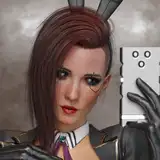
EVERYTHING is pretty much done. IT'S JUST the skirt is not colliding with Bowsette's body at all. Once I figure this out, the video is done.
-----
Since Blender physics are out the window, I gotta sit down and learn UE4's version. I kinda think its better since we won't have to deal with long baking times ever again!
-----
I've figured it out!
The theory where I separated the clothing mesh and reparented it in UE4 was spot on!
But I don't actually have to separate the mesh in Blender. I can do that in UE4 by duplicating the character and making the rest of the meshes invisible!
With that out of the way, it's time to finish Bowsette off and hammer in my workflow using UE4 physics settings this time!
-----
Rest in Peace Stan Lee though. His legacy will make sure he lives forever.
----------
Ok, so what if I HAVE to do physics in UE4 or Alembic? One way to do it is by making bones into rigid bodies just like good old MMD/MMM. I can try that approach in UE4 by turning skirt bones into physics objects. If this works and the physics scale, since the bones absolutely will, then that would be the exact ticket shortcut I'm looking for.
Another theory I'm thinking up is figuring out just what causes the scale of the physics mesh to stay stagnant while the rest of the animation plays. It still clearly follows the animation, so there must be something I'm missing in why it doesn't follow scale. It could be taking that mesh out of the animation and just pinning it to the person.
Also, in a UE4 version 2.1 that came out today, they showed that a notifier can be used to control a cloth during an animation. NIn the animation notify section of their post here: https://www.unrealengine.com/en-US/blog/unreal-engine-4-21-released
This tells me that the cloth truly is detached from the animation since the cloth keeps moving while the animation is stopped. This tells me that it would have to be scaled separately. But I wonder if that notifier thing can help scale the cloth physics too.
Btw, physics in UE4 are far easier to deal with versus Blender. You just paint the area of the character that you want to have physics and it goes. Honestly, the only problem I've had is that they don't change size while simulating. (Pretty big problem)
Last theory. If I can bring in physics parts as their own seperate object, I can parent them to the model within the sequencer or blueprints. THEN it will follow the scale of the object? Potentially. I don't like the idea of cutting meshes away from the character because it creates seams... Unless it was entire portions... Like the hair would be added onto the bald model but with physics applied exactly where I wanted. No seam because it's already hidden. The skirt seam would be easy to hide too... Now that I think about this some more, I could take the ENTIRE belt off a character like Pyra, then reapply the whole thing but with physics.
But this is a last resort. Everything would be so much easier if I could simply apply cloth physics directly to the character where she'd need it, apply whatever is needed for the skirt to change size with model, then be done. Much better than cutting up and exporting a bunch of pieces of the model.
https://youtu.be/Xyx-7kWI47M?t=84
Well, would you look at this. UE4 sequencer can now import alembic cloth data.
Blender exports that kind of data too.
This 4.21 update may have just forged a path for me!
------
I might not be able to stream today, but being stuck in bed doesn't stop me from researching this physics roadblock.
------
I finished all the physics in Blender and have it ready for export!
...
What do you mean UE4 doesn't read cloth caches?
What do you mean I can't export my setup and apply it in UE4?
What do you mean physics in UE4 don't change size? (If I can fix this, that'd be an incredible shortcut)
This really needs to work right now!
Why is nothing ever straightforward?
Looking up tutorials online brought forth, "you gotta restart the physics in UE4 dude. No other way."
Well you know what? I'm gonna find a damn way!
I found a way for Pyra's shape keys to refresh and fix her from glitching out after deleting her belt. Something the internet thought impossible and said I'd have to restart from scratch all the shape keys because it got corrupted.
There is no other way forward than through.
------------
With the physics seemingly handled. It's time to finish them off through the video then get Bowsette imported with those physics recorded into UE4. I want to be off this video by now. I'm tired of everything taking longer than expected. But the good news is that I'll be even faster the next time I have to try this stuff again. Which will happen directly after this is done.
Still 100% doing the Samus vid. Physics was a hugely important step. Hell, I had to delete Bowsette's ponytail because I couldn't figure out physics for it in this vid at this time.
-------------
Because i'm addicted to making things look better, the one thing that's super bothered me about my recent UE4 vids was the low polygon look the characters had. It turns out that I should set the export options to edge rather than face AND select all edges and set the model to smooth. Still testing this but I hope it pulls through right to solve my problem.
KEEP IT SIMPLE STUPID. K. I. S. S.
I removed a bunch of the crap that I added last time and kept it down to just the leg collisions and an Orb to keep the skirt on the outside. I also refreshed myself on the settings and stopped overturning random things and thought about them a bit more logically.
The true winner was putting my weight efforts into the weight paint. This is meant to stiffen your cloth into the shape of the original mesh, but used as a way to make the physics calm down was GREAT.
I've got 2/3rds of the animation done already! Last important thing is to separate out the animation so that you can keep T-pose resetting the physics. It helps in case you need to change a setting when the person is running but you don't want to ruin when the person was standing. Blender's cloth cache is SUPER useful for this!
------------
Sadly can't stream on my sis's birthday. (yesterday)
My theory this time as to why the physics got messed up is because I decided to be too complicated with it. I have no idea how, but I'm gonna export it in parts when I get a chance.
The beginning will be a certain physics set. (Because she's standing so still most of the time)
Then the middle with the walking will be a bit more stale and heavy so her dress doesn't become a damn flag.
Then the end will probably just be shape keys and light physics from the sitting position. This is the only way I can see everything happening now rather than adjust settings as it goes throughout the vid.
---------
I was totally right! The physics cage was far too simple. After making a detailed new one, I didn't even need to mess with shape keys to fix it! There were a few things that tutorials NEVER TELL YOU!
Make sure nothing is colliding with the physics as it starts. Clothes starting off the body preferred.
Make sure the cage is connected around the body rather than having a flat face at the top and bottom.
You'll need a collision cage representing most of the body.
Make sure the cage closely matches the mesh. No over simplifying or it doesn't act right.
There's probably a few other things.
Parent Spike Grips in UE4
Extend ending
Fill Streets
AZmaybe9
2018-10-30 02:28:21 +0000 UTC