Hi guys,
I often hear that some of my SF6 mods don't work or load properly and this solution worked for several users so instead of telling people individually I want to write it here.
First of all make sure your game is upto date. Capcom change many files in their updates and we modders update our mods to work with latest version of the game.
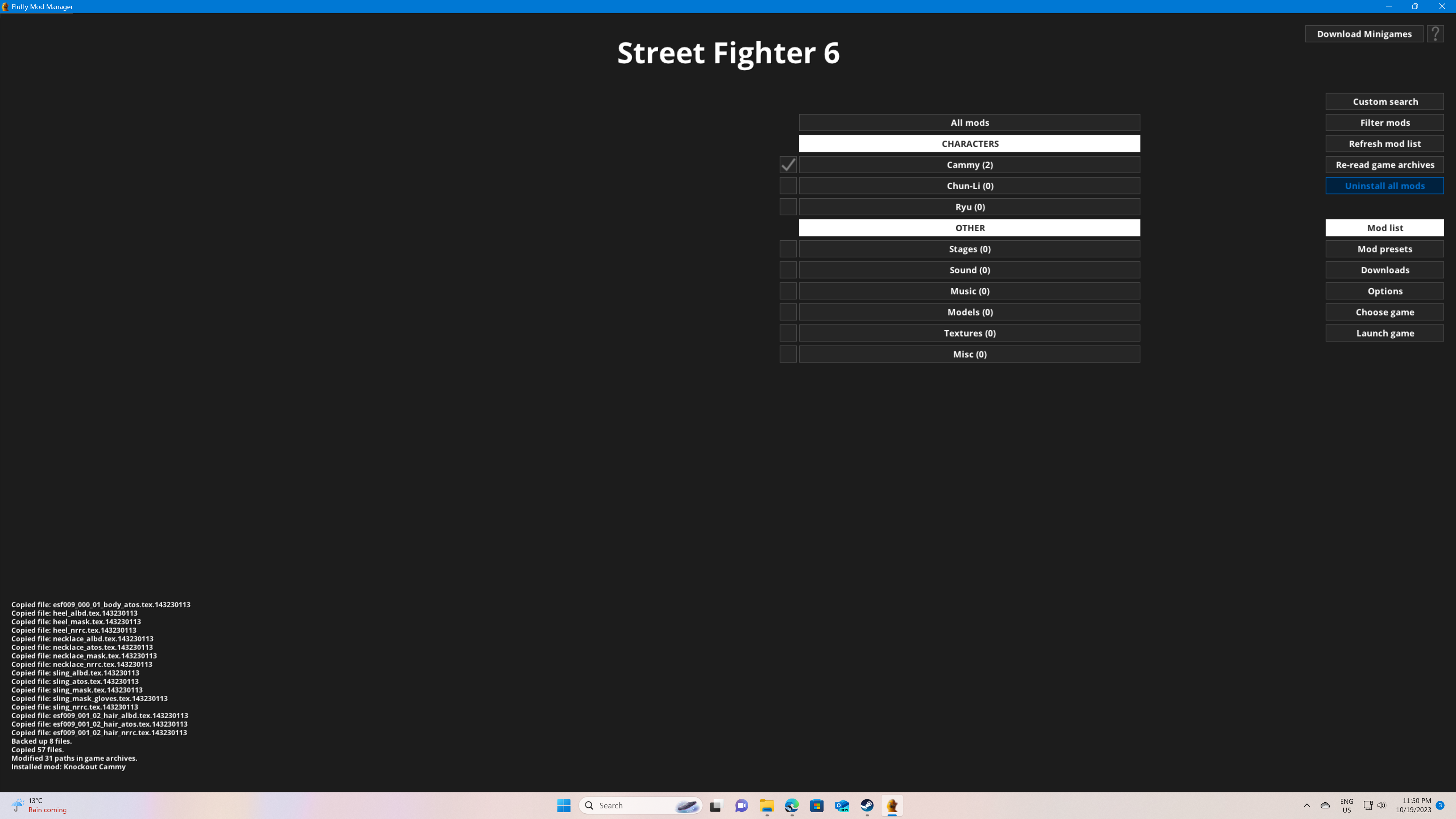
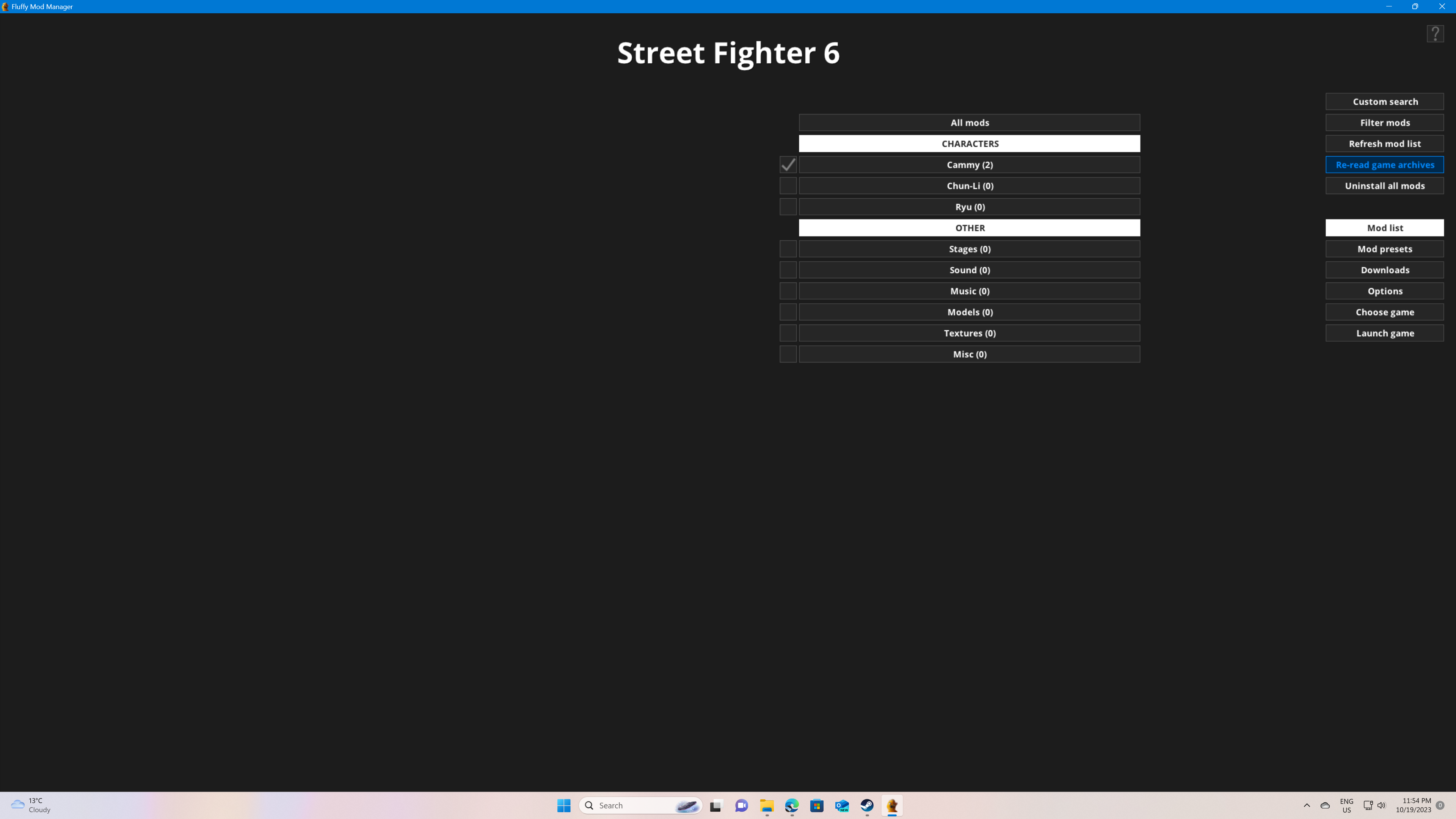
Then if a mod is not loading correctly or not loading at all then do this, first uninstall every single mod you have installed through the mod manager then close the Mod Manager.
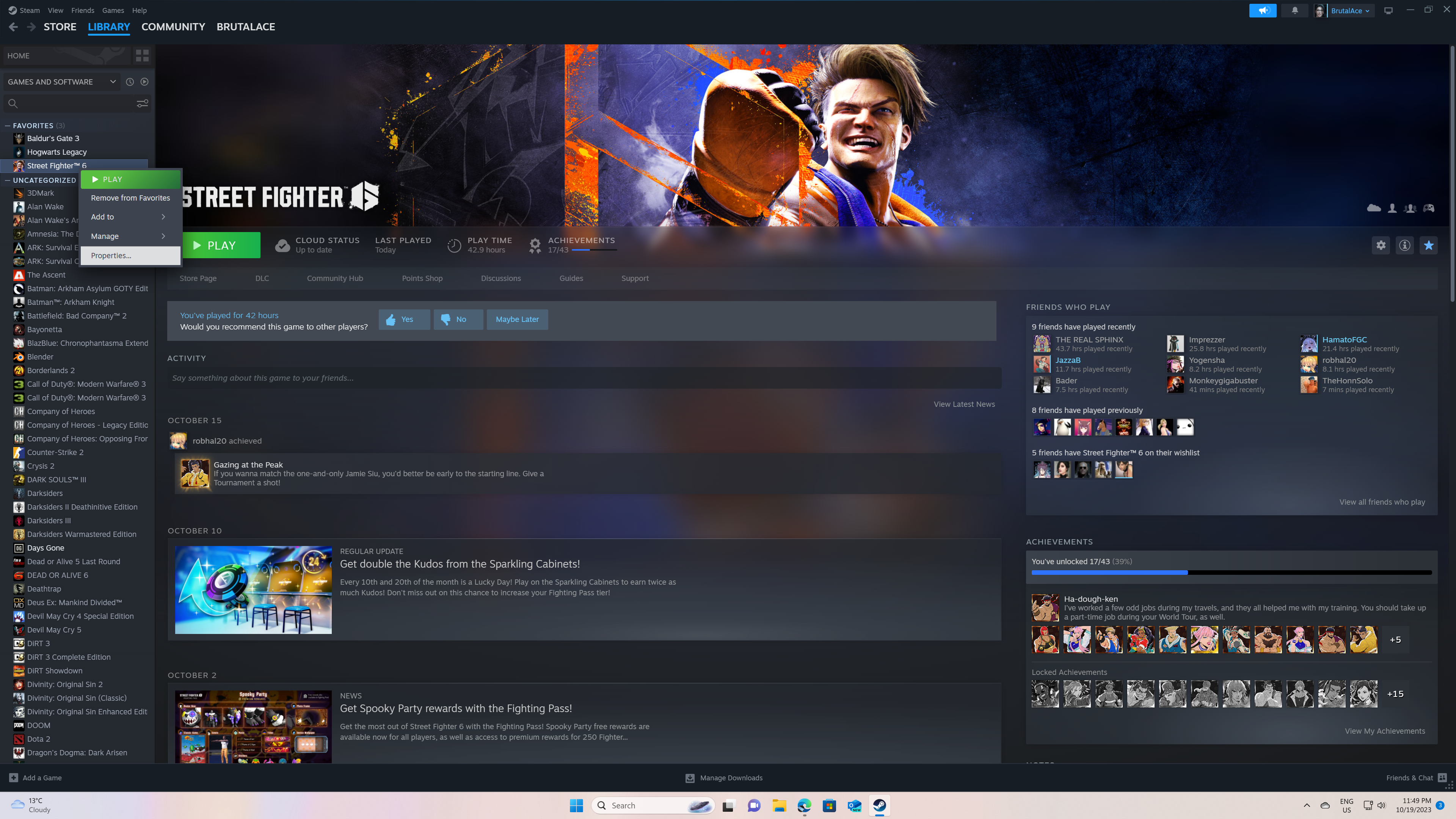
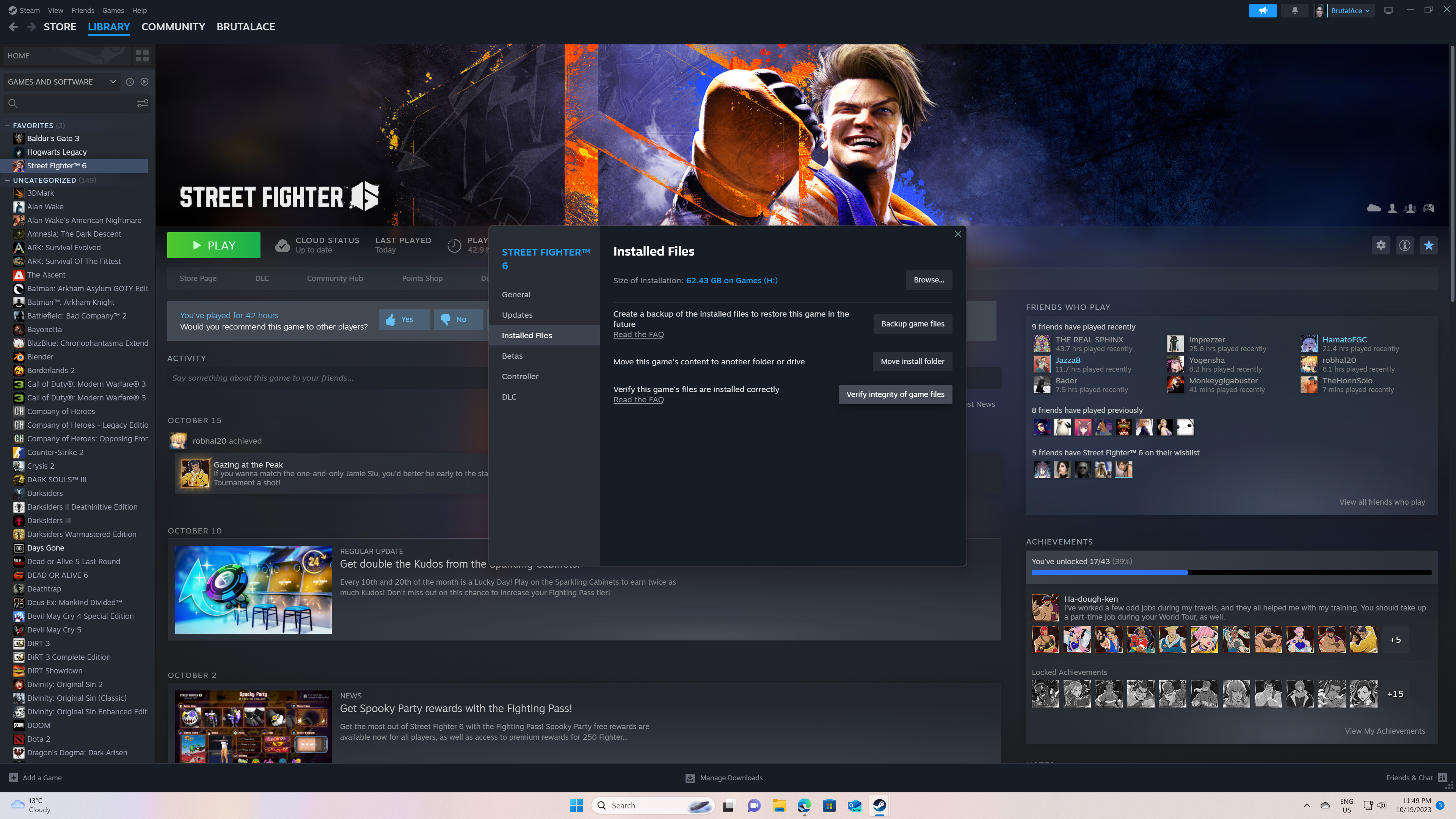
then go in your Steam library and right click on SF6 and go to properties.
In properties click on Installed Files and then verify integrity of game files. The verification process will take a while to complete.
After the completion of verification process go back to the Mod Manager and click on on re-read game archives
After this install your mod again and it should work. You should do this everytime you get a large patch from Capcom like a character release patch or anytime a mod doesn't work. The process makes sure that any leftover files you have form old mods or after a big update are removed or replaced with latest and fresh files.
Last but not the least please make sure that in your game graphic settings your shader quality is always set to high otherwise some of my mods will crash because they look for high quality 4K texture files.
Hopefully this will help anyone having issues.