Hi guys,
So I am glad that at least some of you are enjoying the native version of the Laura Bridal Costume mod with full dress animation but I am also sad that some of you are having performance issues with the mod and while the compatibility version is a good alternative to steal some performance back it's not the best version of the mod.
I knew this mod would be demanding but in past I made several mods that used Apex Physics as well as other high quality mesh components and textures but they didn't caused performance to tank this much so I took screenshots of my own computer settings and want to share them with you so you can see and maybe change your own settings to match these which might improve performance.
NOTE: Right click on pictures and open them in new tab to see them in full size.
First of all make sure all your drivers including graphics, audio, chipset are up to date, we often ignore these and they backfire on us with performance loss.
Then make sure your computer's power plan is set to "High Performance", this improve performance in several games not just Street Fighter V. It is shown below
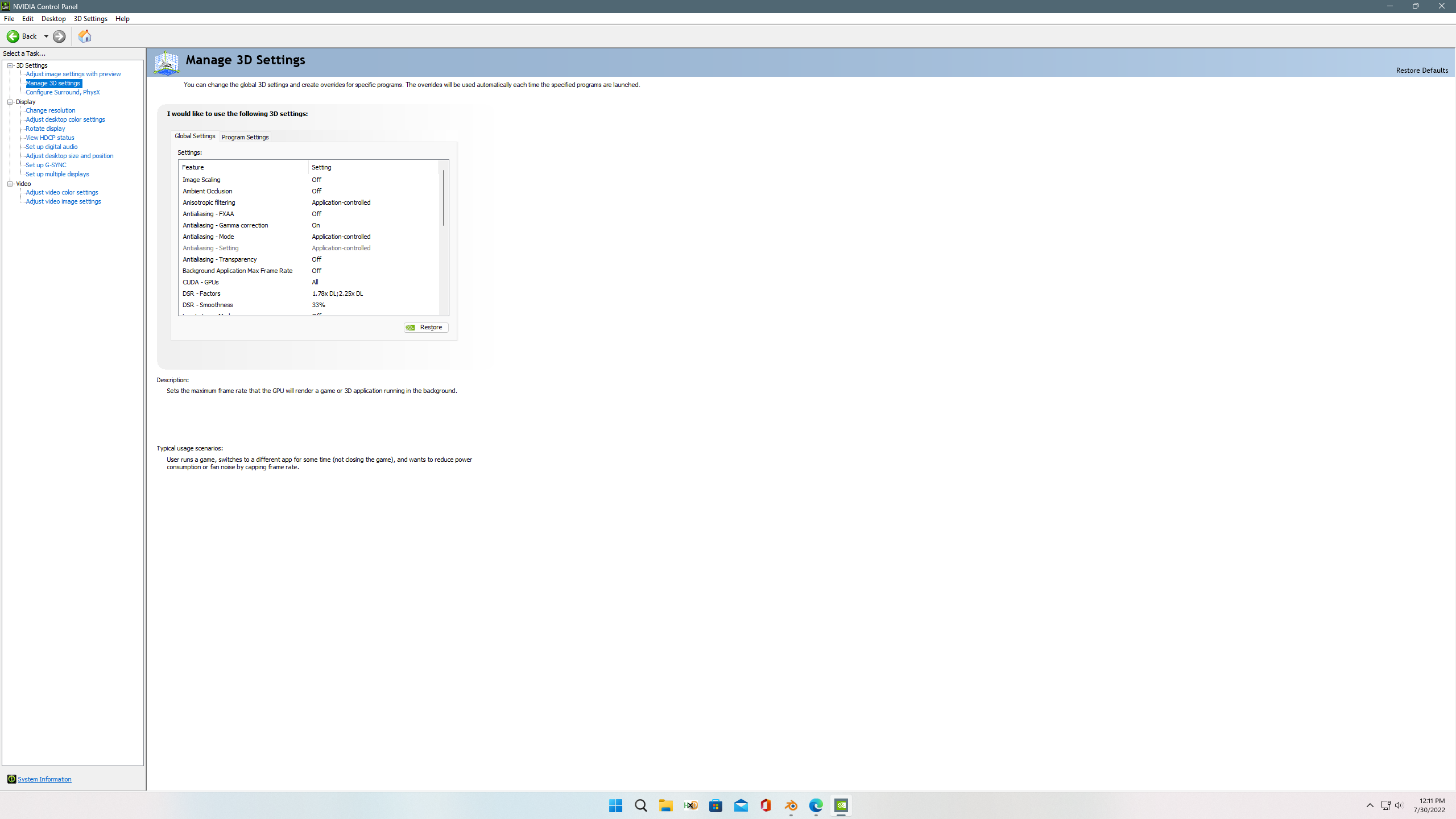
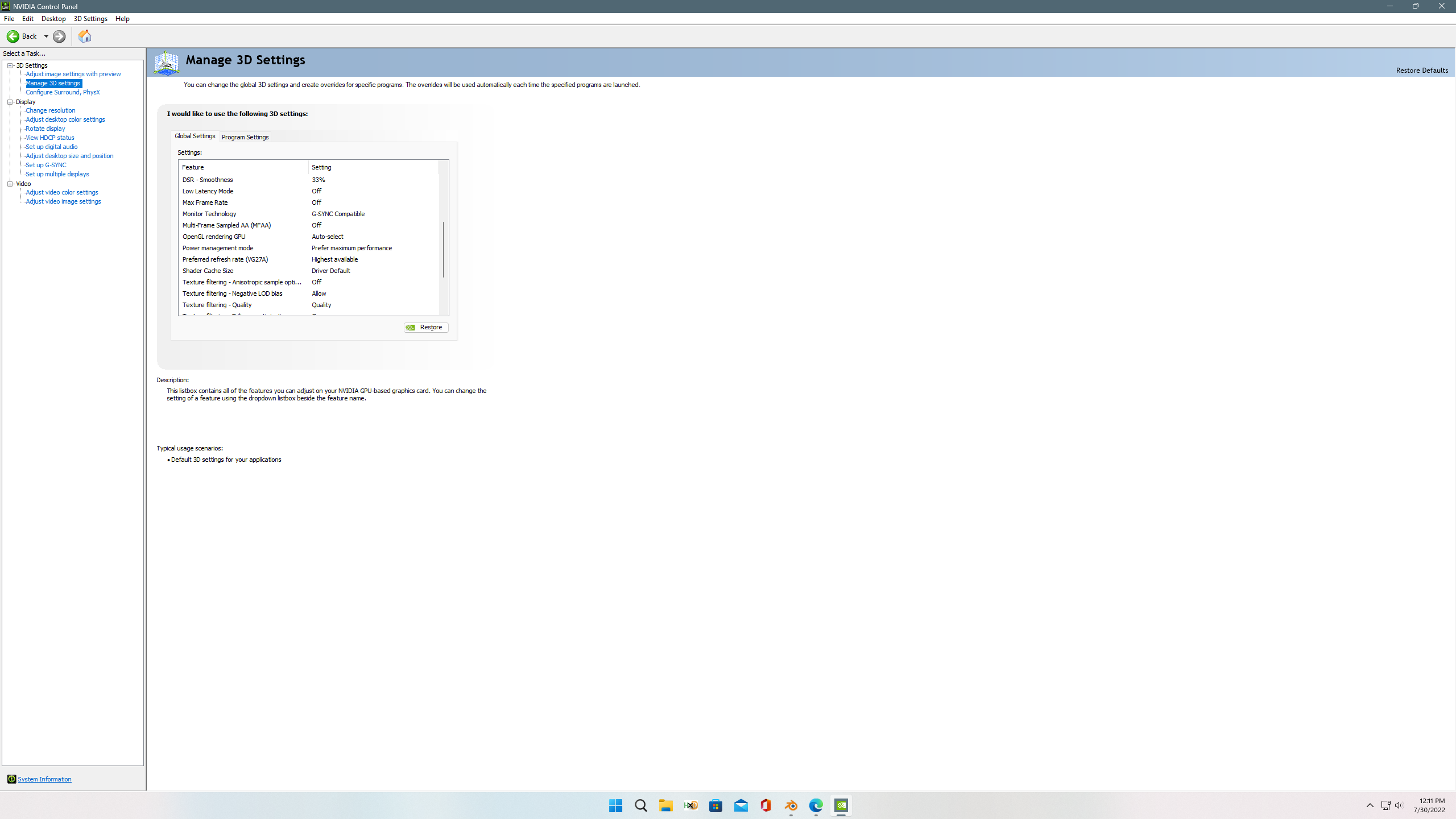
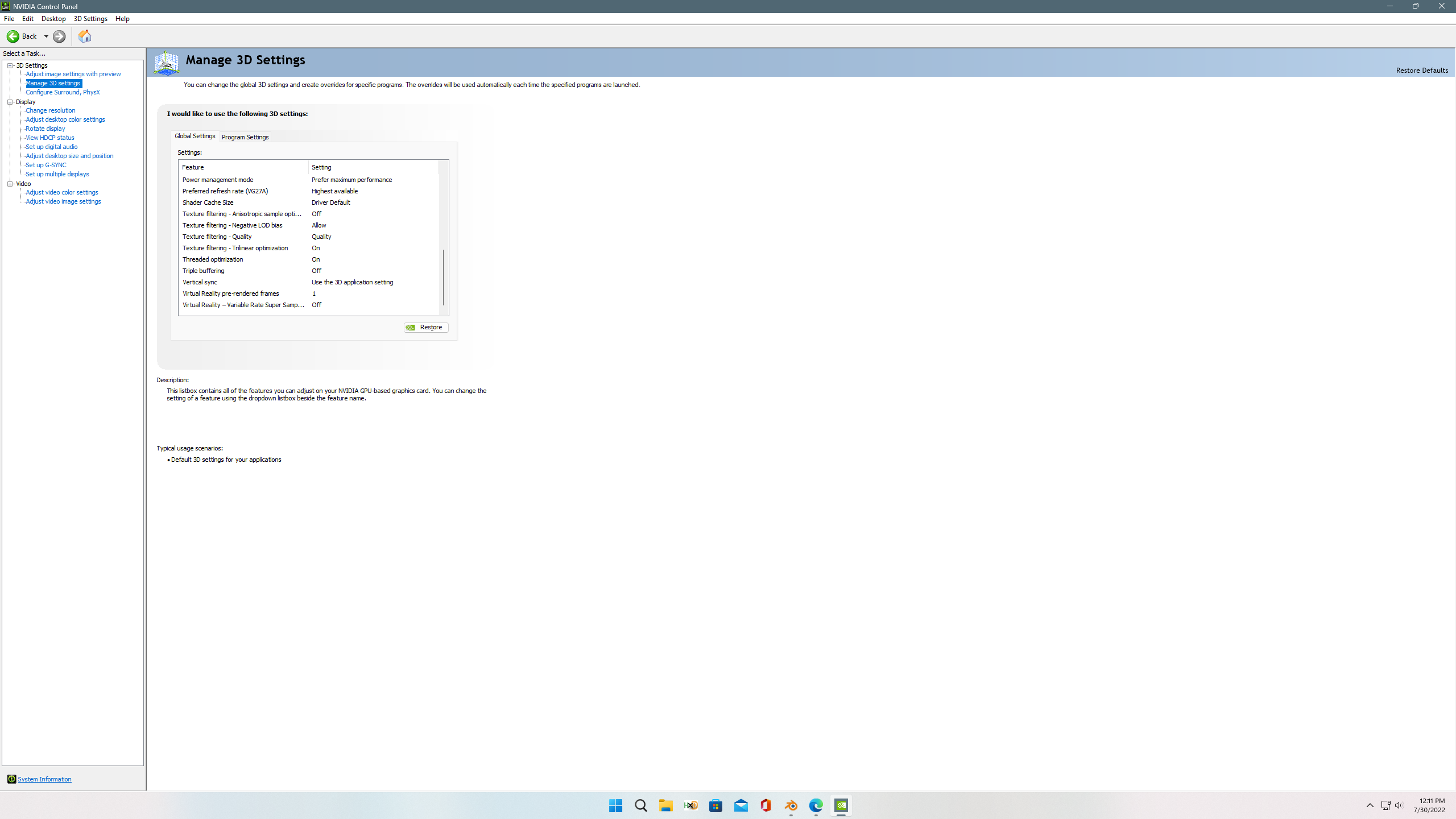
Then make sure your Nvidia control panel settings match the settings I have, they are shown in screenshots below.
The most important setting here is to make sure that your power management mode is set to "Prefer Maximum Performance".
Last but not the least make sure you change the PhysX processor to "CPU" as I mentioned earlier.
It is a good way to offload some of the work from your graphics card.
After this try using the mod with native version and see if you get any performance gains, if not then pick the compatibility version.
I hope this little guide help some of you out. For AMD users, the power plan step for the computer remains same but I don't know AMD graphics control panel that much, they changed the settings quite bit but it should have power management mode somewhere so make sure you change it to go with maximum performance as well.
See you guys tonight with DIY kits and then the screenshot set.