Hulk Transformation Made easy in Blender
Added 2022-04-24 13:46:00 +0000 UTC
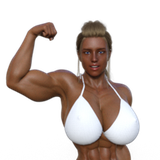
In today's video, I talk about how I made the Hulk transformation animation using Blender.
With the help of Character generator applications and a few Geo nodes magic, we can create decent looking transformations in Blender.
Video Link: https://youtu.be/jk2IwXEvdVk
Attachments Info:[Textures have been overwritten. Will fix it soon! apologies for any inconveinance]
- Animation, Each shot separately [will upload here soon]
- Hulk Transformation Tutorial file[download textures file and extract to the .blend file directory]
- Using Multiple controllers[download textures file and extract to the .blend file directory]
here is a screenshot, it is easy to have a few controllers. But if you don't like to bother making it, then download this file. Otherwise not necessary.


Makehuman [FREE] has an add-on for blender users, but here I used the stand-alone application and exported it to blender.
Animation Process :
Here is a rough time-lapse [ will Upload Here Soon ] of the animation process. This animation has made with an early version of the hulk model and Geo node setup. If you are interested check it out. But warning! I am not that good when comes to animating.
Pros:
- instead of bothering with shape keys, this is an easy way to use character generator applications to make transformation/morphing effects.
- Combining this with my previous "Advanced Suit up animation" techniques you will be able to create some crazy stuff
- Can easily drive the shaders with the help of geo setup, without bothering to make an entirely different process.
Cons:
- It will get tricky when your two shapes have totally different looks. But by making the controller mask gradient lot smoother, you probably be able to hide a lot of issues. If that not fixed then you can do separate morphs for different parts of the body using the techniques I showed, like Excluding certain areas.
- Since morphing animations depends on the difference between two shapes, it is almost impossible to make one template that works perfectly in every situation.
Tips :
- When making the animations, instead of making everything in one action and make different stages in separate actions and combined them in the non-linear editor.
Eg: in this Animation, I had two main layers, one for Main Action and another for breathing.

- For the transformation animation, only use our transformation model when transformation takes place. Do not use it when there is no transformation happening, in that way if you have any glitches, you will be able to hide them.
Eg: as soon as Bruce becomes Hulk, switch the model with Hulk.