Sims 4, Base game compatible
This is the little surprise I mentioned in the current WIP post. These are items that I made awhile ago, just finished up some preview images so I could post them for everyone. I adore stuffed animals and even sleep with them, so I love having tons of them in my game.
I'm in the process of working on another big set, you can keep up with the progress and previews here! Patrons are always welcome to add suggestions/requests to sets that are a work in progress. If I can do it I would be happy to add it!
Set Contains:
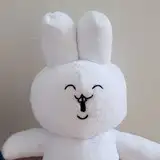
-Favorite Teddy Bear (sit) | 20 swatches | 587 poly
-Favorite Teddy Bear (down) | 20 swatches | 587 poly
-Favorite Teddy Bear (down, reversed with head turned the other way) | 20 swatches | 587 poly
📁 Alt Download (Mega): <HERE>
Type “favorite teddy" into the search query in build mode to find quickly. You can always find items like this, just begin typing the title and it will appear.
As always, please let me know if you have any issues! Happy Simming!
🌺 My Tumblr (if you are a new patron &/or haven't seen the note anywhere else: I've been creating CC since 2019! I only created my Patreon account somewhat recently, so a large amount of my CC is available via my Tumblr, with direct-linked downloads to SimFileShare & Mega mirrors (in case SFS website is misbehaving).
✨ Dear non-patrons, If you like my work, please consider supporting me! ❤️ I struggle with disabling chronic illness & pain which makes things really hard. It is of course not demanded or expected, as any early access creations will always be public after the 2-3 weeks, but small tips from the community help me to manage my illness. I also have many items & sets available which are automatically public. Thank you so very much for any support if you are able, is greatly and forever appreciated ❤️❤️❤️
As always, thank you so much to my patrons for all your support, and all of your likes, shares, reblogs as well mean so, so much!
Always suggested: bb.objects ON, it makes placing items much easier. For further placement tweaking, check out the TOOL mod.
You can raise & lower items with 0 and 9 on your keyboard.
Use the scale up & down feature on your keyboard to make the items larger or smaller to your liking. If you have a non-US keyboard, it may be different keys depending on which alphabet it uses.