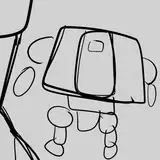
I've had a rough start today since my physical exertion yesterday, but here is the first item for the Dreamy/Cute set, the dreamy bed. I don't yet have an in game pic (will get one after I make new bump map (shadows and lines) and specular map (shine). I resized the mesh to go with the sims single bed size, except for the part of the mesh that is the pillow and plushie. I just kept those the same size and moved them to the spot they should be. Note that image textures have not yet been improved. I hope that everyone is having a pleasant start to their week 💗
Update:
Here is the bed in game. I still need to try some things to get rid of the black bow and edge on the pillow. Those areas are supposed to be transparent. I also want to make the plushie on the bed a bit smaller. (Note image textures have still not yet been resized.) Find the wall shelf in the Added the Cute Floor, and some various walls: Valentine's Day Set, and the liberated plushies in the set I did for those. The side table and rug are in the Clouds Set.
Update (Tuesday noon-ish):
I've been messing with this bed all morning, trying to find a good base item to use, as some are different and allow you to do different things with them. The pillow on the Dreamy Bed has a ruffle on the outside of it that has the need for transparency (like on the plant item leaves, and many other items). Not all base items allow for this feature. It can be edited (slightly, from my experience) by changing the shader in the warehouse tab to something called phong alpha instead of phong.
But it then creates a very strange transparency issue where when you rotate the object, parts in the back look like they are appearing in front, etc (there is an image example of this on image 15/26 in the first Ice set WIP that I did a few months ago).
So to remedy this, I removed the plushie from the bed item, since all of them have been liberated with much better quality image textures in their own set (Linking again here). Above is what we've come up with, a bed that works the same as the mermaid set bed, when the sim is sleeping they are sinking into the mattress a bit. This is due to the EA mattress/blanket mesh not being used for sleeping on. (We want to keep the mesh of the ACNH object so that it looks like the object and doesn't start changing into just a recolor of a TS4 bed.) One bed that I was able to use an EA mattress and blanket, was the Ice Set bed, but as you can see it was not able to have the original item's blankets. The bed used as a base for the Dreamy Bed item is going to have to require Seasons.
Update (Tuesday evening):
Added the Dreamy floor shelf, the original item and a decluttered & slotted one. I added an extra swatch of purple for the shelf because it didn't have one and I thought it should. I added the beads, which I made to be sort of like a bead curtain. I made 3 different lengths, in half size of a door archway so that lengths can be mixed. Seashell Radio is here.
Update (Late Tuesday night):
Added the Kiki Lala wallpaper, and a special wall art that I put together from some other things. The frame has a bunch of swatches. Added cute sneakers decor, and the cute radio as a functional radio (base game compatible).
Update (late Tuesday night/early Wednesday morning):
Added the Cute Chair, and the Cute Wardrobe Closet. Added the Cute Vanity Table (functions as an accent table to allow base game compatability.) Added the Serena Doll as a request from a lovely patron. There is a standing, sitting, and functional toy version.
Update (Wednesday night):
Hey everybody! I've been dealing with a really bad stomach ache half the day, it's making it hard to sit at the computer so I will be finishing this set tomorrow 💗
Update (Thursday early evening):
I've been messing with the Cute Lamp item. No question about it, due to my issue in Blender of not being able to use the vertex paintbrush, this lamp with the brightness turned all the way up looks ridiculous. It has to be turned down in order for any details to be visible. I tried to edit the paint on this item, as I do every time I am doing a lamp, but Blender will simply not work as it is supposed to with the vertex paint. It paints wherever it wants, but most places not at all. It is supposed to create the areas on the object that will light up, and those that have more shadow, with a black, gray, and white scale of colors for the paint. I've tried everything I can think of including a new version of Blender, and it is still doing the same thing. I always offer for any other creator out there that they are more than welcome to add the vertex paint to any lamp items I have made, and I can update the file with a credit to them. (I'm also always looking for the answer in the meantime. I've got a list lol)
Update (midnight):
Added 2 crowns decor with some recolors. Added purple swatches to the vanity table and chair. Made the cute bed, and a liberated pillow from it to place on floors or wherever! Added the Cute Floor, and some various walls: 3 Sanrio (Kiki Lala, Hello Kitty, and My Melody), the Cute Walls, and the Crown Walls. Added extra swatches to some items. I still have some more items to add, I was hoping to have things done by today but I got more ideas so I will continue working! Everything should be done soon.
Update (Friday early evening):
Added the Cute Loveseat
Update (continued):
Added the Cute workbench out of the Cute DIY Table. It is functional, and has a couple added extra swatches like most of the items. Next I am liberating the clutter from the tabletop.
Update (continued):
Added a glowing heart wall decor, in 16 swatches (I thought they could be a cute things used for Pride in June too). These were the drawer handles for the workbench that I liberated and turned into a wall object. I hope everyone is having a nice Friday! 💗
Update (continued):
Here is a gif of the objects that I am liberating. It's all really cute stuff!
Update (continued):
Added the liberated bag/case, and the lamp. The lamp is functional, but has the same vertex paint issues like the others as referenced above, so to make it look better the brightness needs to be turned down. I need to take a break from this tonight as it's after midnight and I have to get up early tomorrow. 5 more items to go! For a total of 35 items!
Update (Saturday noon):
Added the liberated toolbox with extra recolors. Just some extra info, most liberated items need new image textures and remapping to avoid bloating the file with the original image texture that includes sections for the full object. The original image size is 1024x1024 and it doesn't need to be that big, with areas that the mesh isn't using.
Update (Saturday night):
I got the rest of the items for this set partly done midday, but had some somewhat rare plans with my partner's family for a few hours today so I had to wait until now to get back to these. I feel like this set is taking me a little bit longer than usual, if it's not my imagination it's just because there's been a lot I've had to tend to IRL. I'm back to working on things and finishing the rest of the items. What I have left to do: make edited image textures for each item and swatch, and new specular and bump maps. Remap in Blender & import. That's all the update I have for now and hopefully just one or two more with pics of these in game ☺️ The post images with swatch previews always take me awhile to take and organize, so we are looking at tomorrow for the posted set. (CET timezone)
Update (continued):
FInished the rest of the liberated items, again with extra swatches added by me. I realized I missed the Cute Tea Table, so I gathered the files for that item and will add it tomorrow while getting all the post images. It's 2 am now here, so I must pause for now. I hope everyone is having a nice weekend 💗
Update (Saturday early evening):
I finally got all of the items finished (since I realized I had completely forgotten the Cute Tea Table) I made 2 versions of this table, one for dining, and a smaller one for an accent table. Extra swatches added, of course ☺️ Images above. (The cat teapot is from the Mother's Day Set from last year.) Now I just need to get images ready for posting.