![[ORIGINAL PROJECTS] Replace objects in Blender](https://img10.saketami.com/storage/3/tv/bd/9a2cd0-019e82bb-5d10-711b-9b1c-ed64fc5221aa.jpg)
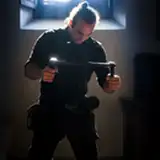
In the link in this post you can download the original file used in the tutorial that will be out tomorrow.
The tutorial expalins how to replace objects with CGI objects like in movies, is very easy to do and literally helpful.
In this specific case, I was using an old Phantom drone battery as a reference object for the tracking, then replaced with a scifi gun in Blender.
NOTE: if you open the file, you will have to re-link the footage (annoying blender things... ) so basicly simply click on menu File / External data / find missing file - and then find the folder in which there is the video footage, so that blender will reconnect it.