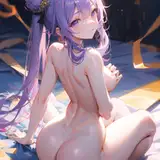
Thought I'd give a bit of a tutorial with this one, more so an insight of the process and steps I take with this kind of drawings.
1st The sketch!
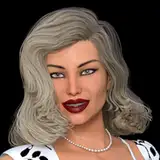
The original idea was meant to be more of a redraw from last year's Jessica Rabbit, but those sketches just flat out didn't work, I wanted a more provocative pose, so I went ahead and studied a pose for one of Legoman's work!
I usually do this when something doesn't click in a drawing, I have a big folder full of references for my favorite artists and it's the way I like to learn, by studying those who succeed at portraying really good lewds
Once the pose is finished I struggled a bit but finally decided to continue working on it, I don't usually like to steal poses from other artworks but I just couldn't help it with this one!
2nd The Coloring!
For this I applied an old process that I learned back when I made a Spinel piece, I followed a tutorial that basically shows you how to do a quick render.
This step basically means choose your flat colors for your drawing, once you have them desaturate and dark them so as they fit with your background, always have your background colors in mind!
3rd Adding depth and shadows
Basically adding layers of shadows, first one is a light shadow applied only where we don't want light to touch (or where we don't want people to look at)
Second one is ambient occlusion which is basically a more dark and saturated shadow around where parts of the body meet, or fold, where light cannot truly reach.
(This is by far the most complex part since you apply a lot of form knowledge but the one that rewards the most if you nail it).
Third shadow is basically just a gradient that goes from light to shadow set in multiply, this darkens the whole image and sets it for the last steps.
4th Adding lights
A final set of layers on top of the drawing set to glow or add glow, here's the fun part where you get to play around the forms and shapes of your drawing, the trick is knowing where light hits and imaginining where it lands on the body
(Just imagine a cone where you want to put your light, and imagine what you see if you where looking through it, that's where the light will hit!)
You can play around with the colors of the lights to set tones as you'd like, and the best part is that you can change completely the setting by adjusting the colors!
You can add as many lights as you'd like but I'd say sticking with the usual, a primary light which will be the strongest on your drawing, aimed at the focal point that you want people to look (like the butt) and a few secondary lights or rim lights, aimed at a completely different angle to reforce the shape your your drawing (or in this case so that people look at Jessica's boobs too!)
And tada! Well sort of, there's an extra process called overpaint, where I added a bit of strands of hair on top of all of that, and fixed a few issues with lines and the overall drawing!
Then there's the adjustment layers where you fix your colors according to your monitor, and of course an extra layer of the good old perlin noise so that it gives that extra punch of grainy texture to your artwork!
Well that is pretty much it, sort of, I really had to condense a lot of this out! I learned to use part of this process on most of my drawings, hopefully this gives a bit of insight
Scramblus
2024-02-15 01:06:24 +0000 UTCZeeko
2024-02-15 00:39:23 +0000 UTC