Chopping Science episode 1 [VIDEO]
Added 2023-01-15 10:30:33 +0000 UTC
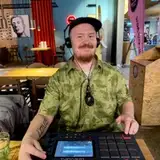
The most requested thing from me, by far, has been relating to chopping drums and making breakbeats.
And that’s what I will present to you, in the form of Chopping Science video series.
First episode is up on Patreon now (40+ minutes).
VIDEO HERE (No sharing!!)
I’ll show you how I chop my drums, what I look for in a break, what device I like to use, and I’ll create a breakbeat loop in the end.
The techniques I use are universal and not DAW-specific.
With this series, I will help you build your understanding of chopping drums, programming breakbeats, as well as doing your own custom breaks.
I’ve never been one to hold back information: I feel one can only gain by spreading the knowledge, and that’s what I’ll keep doing.
Breakbeat heads, join the ride!
Lesson will continue on Episode 2 later.
PS: In the video, I'm using Ableton Live, but you can chop beats with any DAW.
I said in the video I'd link you to my slicing preset, and it's here.
To use it, place it at User Library > Defaults > Slicing (locate that folder via Ableton browser, then right-click and show it via Finder/Explorer and drop the file there).
It'll show up once you right-click on a warped audio file (e.g., a drumloop) and select Slice to new midi track; you'll see it in the Slicing Preset dropdown menu.
PPS: An old video about creating the slicing preset by me is here.
Does the preset just make every slice have the loop back and forth mode on, or does it also set the loop start and crossfade amount for each slice or do you then edit each slice individually? If not what settings do you find work well for those parameters?
James Norton
2024-10-28 11:39:49 +0000 UTC
Cheers it would be great if you could but I don't think it's possible in live 12.1, I tried everything I could think of.
James Norton
2024-10-27 20:08:05 +0000 UTC
Hmmm, weird. Can’t say! If I saw what’s happening, then maybe. But without seeing anything, can’t say much.
Try creating your own similar preset and see if it works? Wouldn’t be surprised if there was something buggy about a preset that’s (probably) created with an older version…should probably test it all again myself and maybe upload a Live 12 preset.
Janne Hatula
2024-10-27 19:46:49 +0000 UTC
Hi there, I can't for the life of me get your slicing preset to use the looping sustain mode, no matter what I do the sustain mode will always just be on, any clues what I'm doing wrong?
James Norton
2024-10-27 19:33:02 +0000 UTC
Cheers - thanks for the prompt reply Fanu! 👍
John Citizen
2023-07-02 09:02:17 +0000 UTC
A broad topic for sure; can't give a short answer to that :)
Janne Hatula
2023-07-02 08:53:22 +0000 UTC
It will work if you do it properly: create the slicing preset, save it to the right location, and select it prior to slicing
a very old video of mine showing it all:
https://www.youtube.com/watch?v=1lWqwvCsZp4
Place the slicing preset in User Library > Defaults > Slicing (locate that folder via Ableton browser, then right-click and show it via Finder/Explorer and drop the file there).
It'll show up once you right-click on a warped audio file (e.g., a drumloop) and select Slice to new midi track; you'll see it in the Slicing Preset dropdown menu.
Janne Hatula
2023-07-02 08:53:08 +0000 UTC
Also, do you have any additional tips for making breaks sound as naturalistic as possible when slowing them from their original tempo and chopping them?
John Citizen
2023-07-02 03:45:48 +0000 UTC
Great content — thanks Fanu.
Is there a way to make the slicing preset default to the back and forth looping for each slice? Mine always defaults to looping forward, even with your slicing preset.
John Citizen
2023-07-02 02:57:50 +0000 UTC
That would be sweet! Would love to see your process. I usually chop and tighten on timeline then bounce in place then slice again to drum machine. Seems to work ok. A little more time consuming than Ableton but not by much.
atetraxx
2023-02-18 14:15:54 +0000 UTC
Yes I do that, or alternatively chop by onsets to drum machine (or something like that). There was some confusion with that in the beginning and my slices ended up in some weird order but BWS support clarified it to me.
I did think i might do a quick video about BWS choppery,
Janne Hatula
2023-02-18 14:07:41 +0000 UTC
I'm curious your process for warping/tightening up. What I do is create the onsets. Slice the break then stretch to tighten up on the timeline. Is similar to how you do it? Great video btw. Learned a few things
atetraxx
2023-02-18 14:05:47 +0000 UTC
Yessir!
Janne Hatula
2023-02-18 07:08:07 +0000 UTC
still watching this but, you ever slice in bitwig?
atetraxx
2023-02-17 19:33:05 +0000 UTC
Can't say, sadly; been such a long time since I've used Recycle.
Having said that, I'd say I rather loop a drumhit instead of streching, as the latter may hurt the punch/transient.
Janne Hatula
2023-02-15 08:19:32 +0000 UTC
Instead of using Sampler to play the sample backwards, can I use Recycle and set the stretch dial to 100%? It seems like it would do the same thing.
DRU
2023-02-14 21:09:57 +0000 UTC
Ableton rules!
Janne Hatula
2023-02-06 14:50:38 +0000 UTC
Thanks so much, i'm just switching to Ableton after only using an MPC1000 so this is great timing
wilrus
2023-02-05 21:50:53 +0000 UTC
I was using Cubase around year 2000! Was my first actual DAW.
Would be interesting to try it out again actually: would love to see how well the chopping works.
I should check that Clyde pack too! 🥁👍🏻
Janne Hatula
2023-01-23 14:20:45 +0000 UTC
Thanks for this. Worth to mention that Cubase (father of DAW's :) ) nowadays is capable of doing exactly the same thing. Firstly Markers and then Slices in Groove Agent - native drum rack like piece of Cubase. I also used to produce with Ableton. Cubase nowadays is keeping up pretty much intensively in terms of quick easy tricks and at the same time is going far beyond in other areas. BTW there's nice Clyde drum pack on Yurt Rock portal recorded again so very clean and maybe missing that vibe form back in the days but still worth to check. It's divided into fills transitions etc. Sounds very clean but still there's chance to make it dirt right ? :)
FerIc (Michał Mossakowski)
2023-01-22 21:09:11 +0000 UTC
Glad you like!
Custom breaks stuff will come!
Janne Hatula
2023-01-22 20:24:32 +0000 UTC
Thank you for this Fanu! This is what I was missing with chopping my breaks up. I always sliced to midi via transients using simpler. Then quantized/legato all the midi notes in the clip and shifted around the hits as they existed.
Would love to learn how to layer different breaks / using specific elements from breaks to create a beat like Photek / early Metalheadz releases
Rodigan
2023-01-22 14:55:49 +0000 UTC
hehe yeah there are so many DNB tracks out there that have the dark pad/strong underneath and you can kind of tell it was started that way :D
so yeah it does sort of set a vibe at least.
also when mixing drums, having a bass (and maybe something else) there is good for context, so you wont overdo it / make too strong/heavy
i do most of the processing inside the project.
if i do the song with an MPC or external gear, I'll get the stems into my in the end and do the final mixing there.
Janne Hatula
2023-01-19 17:22:46 +0000 UTC
This is exactly the kind of content I signed up for! :)
Will be great to see your arrangement process going from sparse phases to busy and vice-versa which I presume is what's coming next.
Was watching the Gremlinz & Jesta SampleGenie tutorials the other day and noticed they like to lay down just a simple pad or string for context when arranging, is this something you ever do?
Also as far as break processing goes, do you process your breaks as a whole before loading them up for a project or would you do what you've done here and arrange and then process afterwards?
Michael
2023-01-18 20:11:45 +0000 UTC
PS: TAL sampler is great!
Janne Hatula
2023-01-16 14:33:39 +0000 UTC
everything i understand about the drums has come 100% thru listening…i have zero training or classical training behind me.
to me, drums are like my mother tongue: i can do it well, but i dont know its rules so i cant teach them or explain them. whereas i can teach english (i have a university degree for that!) because ive studies all its rules.
Janne Hatula
2023-01-16 09:35:54 +0000 UTC
No i dont really do that sine thing…it might work though.
I use Pultec EQ a lot!
Janne Hatula
2023-01-16 09:33:47 +0000 UTC
Been using TAL Sampler after your other vid with a similar method...although TAL requires chopping breaks ahead of time. This way is nice for keeping it all in one app. I need to catch up on the other vid for setting up a chop preset.
Its hard to think of new things I want to see as most of my questions would just be decisions based on one's own taste. I love how you treat the drums in your music so anything you share is much appreciated.
One question though. Do you have a background in drumming at all or has your inner drummed developed purely out of love for drums & soaking in the irresistible breaks of the golden era?
Shane Newville
2023-01-16 06:55:13 +0000 UTC
Do you reinforce main kicks and snares in breaks with synths or sample layers (eg. adding more low end to kicks / white noise for more snap in snares)?
Or do you mainly just use breaks as they are?
Charlie Steel
2023-01-15 22:13:17 +0000 UTC
Hey man, great video and a lot of really useful information. Maybe not for the next video but I'd love to know more about break switching. Every time I try it, it's really obvious that the breaks are different. I suppose the difference can be used as contrast in a track, but I still feel like some things can be done to get the breaks to play (pun intended) nicely together.
Anyway, I hope you're having a good Sunday!!!
Simon Huber
2023-01-15 19:30:56 +0000 UTC
![Chopping Science episode 1 [VIDEO]](https://img10.saketami.com/storage/4/fz/uv/9a2cd0-019e835a-e791-7a3e-91e8-54e5a6f20db7.jpg)