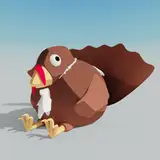
Grape Escape - Unity File
Added 2021-09-01 14:41:38 +0000 UTCWould you like to mod Grape Escape? Well, thanks to your generous contributions, now you can! Change how Grape Stomp-chan looks, make up your own sound effects, turn the grape vat into a giant toilet -- the sky's the limit! No permissions needed; just have fun!
To open the file:
- Open the zip file and place the "Grape Escape" folder in your Documents folder, or anywhere else you want.
- Download Unity Hub if you haven't already
- Open Unity Hub and click the "Add" button at the top
- Select the "Grape Escape" folder you just moved and click "Select Folder"
- Now you should be able to open the Grape Escape project in Unity!
If you want to, you can send me pictures and videos of your changes, or just talk about how bad my programming is!
Happy modding, everyone! :D
Comments
No problem! ^_^
2021-09-02 13:41:48 +0000 UTCOk, thank you..
Egroj
2021-09-02 13:23:56 +0000 UTCHmm... There are a lot of areas where something could go wrong. Try the following: 1. Watch this video and make sure everything you did matches up with it: https://www.youtube.com/watch?v=5aqCVUt8KY4 2. Once Unity opens up after the installation, close it and open Unity Hub. If you don't have something called Unity Hub, return to step 1 as something may have gone wrong. 3. Once Unity Hub opens up, follow this guide: https://support.unity.com/hc/en-us/articles/4402520287124-How-do-I-add-a-project-saved-on-my-computer-into-the-Unity-Hub- Important: make sure the Grape Escape folder has been unzipped. It won't work if it's still compressed. Sorry for the confusion. Let me know the details if something isn't right and I'll do my best to get it working for you. :)
2021-09-02 11:05:54 +0000 UTCI couldn't do it! I INSTALL IT and then I try to add the game and it didn't let me I got a invalid file message. So it ask me to download another Unity program and I did, and still couldn't!. I just don't know how! I never done it before
Egroj
2021-09-02 02:07:29 +0000 UTCI believe Unity Hub will handle that for you. Correct me if I'm wrong, though -- it's been years since I installed it. ^^;
2021-09-02 00:59:53 +0000 UTCDO I need to install UNity Editor
Egroj
2021-09-01 17:57:29 +0000 UTC