Varg - Face Tracking Addon [VRChat]
Added 2024-03-21 20:15:04 +0000 UTC
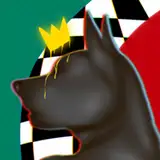
Varg Face Tracking Addon
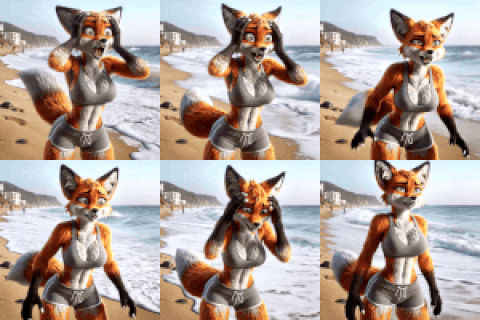
Enhance Your Varg with Face Tracking!
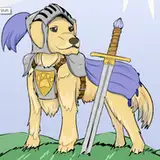
This addon is designed for the Varg avatar by てぃむ屋 , available on Booth. Please note that this addon does not include any original files; you must have purchased the original Varg avatar.
Import, patch and you are ready to go!
- Seamlessly adds all Unified Expressions blendshapes used by VRCFT v5 or newer to the original FBX.
- Comes with a custom scene, fully set up and ready for immediate use.
Try Before You Buy:
- Test the avatar and its face tracking features in our in-game demo world.
Pawlygon Studio VRChat World
Face Tracking with VRCFaceTracking v5+ OSC Application
-
Compatibility: Only supports VRCFaceTracking v5+ OSC application. Older versions are not supported.
-
Custom Animations: Unique animations for ears and tail.
-
Ear Animations: Ears follow eye gaze and move according to happy/sad expressions.
-
Tail Control: Tail movement is controlled by jaw actions.
-
Pupil Dilation:
- Works with Vive Pro Eye for pupil dilation.
- Custom animations available for other hardware.
-
Broad Hardware Support: Compatible with all major hardware including Quest Pro, Pico 4 Pro, Vive Pro Eye, XR Elite and Vive Facial Tracker, thanks to VRCFT Unified Expressions.
-
Easy Setup: Ready to upload with a pre-configured Unity scene. User-friendly and easy to use.

Original Package by てぃむ屋 (Available on Booth)
-
Addon Support: Fully supports the latest version.
-
Model Requirements:
- Requires an original, unmodified FBX model.
- VRCFury.
- Our Face Tracking Controller requires VRCFury Full Controller component.

-
VRCFaceTracking - For the OSC application and face tracking modules.
-
Hash - For their Patcher tool that allow us to create our own patcher as well.

- By purchasing this product, you agree to NOT distribute the files to individuals who haven't bought their own copy of this item.
- This asset is exclusive to PERSONAL USE ONLY. Do not resell this asset. Public Avatars do count as personal use.
- Do not claim ownership of this content.

Thanks for purchasing our product, we hope you like it and review this with ⭐⭐⭐⭐⭐. It will help us a lot!
Join our discord
Installation Steps
Create a new Unity Project using latest VRChat Creator Companion
Import Varg v1.0.1 original package and it's dependencies.
Import VRCFury.
Import latest version Varg_FT_Patcher.
Run the patcher, a window should be opened after importing the new patcher, but if it didn't, you can open by navigating to the submenu Tools > !Pawlygon > varg> vargPatcher
Click YES on the popup to open the new Scene.
It's ready to customize and upload.
Patch notes
![Varg - Face Tracking Addon [VRChat]](https://img10.saketami.com/storage/9/pg/hq/9a2cd0-019e83d6-a34d-707f-a5e0-92d25f5f6b64.gif)