EarthToMC v1.1-beta - Generate a Minecraft Map of every place of the world
Added 2025-01-18 19:01:55 +0000 UTC
EarthToMC v1.1beta changelog:
Fixed a bug that caused critical errors during maps generations with a resolution greater than 3m (Error code 72)
Fixed a bug that caused critical errors during maps generations of areas without land cover datasets available (Error code 14)
Fixed a bug that caused critical errors during maps generations of areas without OpenStreetMap pbf files available (Error code 6)
Fixed a bug that caused erroneous areas with altitude set to -64 on the lower and right borders of a map. Those areas are now filled with void. Outside, Minecraft Vanilla generation will take place
Fixed a bug occurring with the selection of the folders just before the start of the generation
Fixed a bug that caused some folders to be selectable even if WSL doesn't have permission to write there (when selecting /mnt/c or /)
Fixed a bug that caused multiple instances of EarthToMC to be opened at the same time
Fixed a bug that caused unnecessary link files creation
You can now let the application remember your custom folder paths for the Minecraft world, the Worldpainter tiles and the QGIS project
You can now let the application remember your credentials
Error codes are now shown when a critical error occurs
Fixed a bug that caused the app to not open on Windows 10 (wslg error)
Fixed a bug that caused Anaconda installation failures (source .bashrc problem)
Fixed a bug that caused the app to not open on Linux
Added tons of safety checks before and during the installation, now the installation logs are automatically uploaded on EarthtoMC servers for debugging purposes
Fixed a bug that caused the app to not open if a WSL distribution was already installed on the pc (python / conda errors)
Fixed a bug that caused problems using and installing the app when a not updated WSL version is already installed on the pc
Fixed a bug that caused logs uploads to EarthToMC servers for debugging purposes to not work in some circumstances, you'll not have to send me the logs anymore if you encounter a problem
Removed the "EarthToMC_safemode.bat" file, to start EarthToMC GUI in safe mode (without the map) read Known Bugs
-------------
Dear friends, in just a few days it will have been a year since I released my first real-world map for Minecraft. In a short time, this little project grew into something much bigger: thanks to everyone’s enthusiasm and positive feedback, my goal became to develop—completely from scratch—a piece of software that can automatically generate maps of any real-world area for Minecraft, in a simple, fast, and intuitive way, yet with incredibly detailed results.
After months of work and support from the community, I’m finally happy to announce that EarthToMC is now available in beta for everyone subscribed to a Top Tier plan or higher!
Join us on Discord: https://discord.gg/SXvNS8x2pJ
 Tokyo, Japan
 Central Park, New York, USA
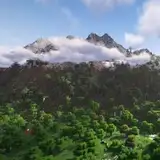
 Southwestern Utah, USA
 Baltimore, USA
 Kansas City, USA
 Large scale map of USA - Details of Delmarva Peninsula
How the software works:
When you open the software, you can use an interactive graphical interface to select an area of interest for map generation, specifying the map’s scale as well.
Any map with a scale between 1:1 and 1:3 can include all the city details available in OpenStreetMap—such as buildings, roads, railways, airports, parking lots, and more.
Maps with a scale greater than 1:3 will, by default, include only natural features, with the option to add major roads and railways.
Dozens of configuration parameters are fully customizable by the user, and the application does the rest! From downloading the necessary data to processing it, and finally loading and exporting it into WorldPainter to produce the playable map.
All you have to do, once the map is configured, is start the processing and wait. For smaller maps (under 10,000 x 10,000, designed for individual users), it takes just a few minutes. For huge maps (100,000 x 100,000, designed for larger servers), it can take a few days.
Main Features of the Software:
Generates Minecraft maps for every version from 1.17 up to 1.21.4 (the latest), covering any area worldwide, with scales ranging from 1:1 to 1:1000.
Uses WorldPainter for converting geographic data into Minecraft elements, creating fully editable .world files for users and map makers.
Offers the option to save GeoTIFF files for each layer and a QGIS project, allowing you to preview the final map.
Automatically generates the correct datapack to handle altitudes beyond standard limits.
Lets you set a “snow line” based on altitude.
Integrates buildings, roads, railways, airports, and other urban elements from OpenStreetMap.
Integrates rivers, lakes, coastlines, swamps, glaciers, permanently snow-covered areas, and vegetation from OpenStreetMap.
Retrieves terrain elevation from high-resolution DEM datasets (USGS 3DEP and NASADEM).
Determines biomes and vegetation using high-resolution land-use datasets (USGS NLCD and GLC FCS 30).
Identifies desert and arid areas using Sentinel-2 data and the Global Aridity Index.
Allows adding national, regional, and provincial boundaries (states and counties in the USA).
Supports creating maps at a scale more detailed than 1:1, up to 10 cm in the real world per Minecraft block (ideal for highly detailed building projects).
Enables rotation of the map to a user-defined angle for the best representation of city buildings (given polygons must convert into blocks within the game).
Splits the map into tiles, making processing feasible even on older or less powerful PCs.
Software screenshots
Easy mode
Advanced Mode
Selection of the .minecraft folder and where to save the Worldpainter files + QGIS
Map generation log
3D View of Central Park in New York City using WorldPainter 
2D View of Central Park in New York City using WorldPainter 
3D View of Zion National Park, Utah, using WorldPainter 
QGIS Project view of Zion National Park, Utah
Minimum Requirements:
Quad-core processor
8 GB of RAM
A stable internet connection with a minimum download speed of 20mbps
Windows 10 (Build 19041 and higher) or Windows 11 - Linux
Disk space usage depends on the size of the map
Technical Details:
For the more technically inclined, the software is written in Bash and uses a Python (PySide6) graphical interface for configuration and launching the Bash script that handles actual map generation. During the process, GIS software such as GDAL, QGIS, osmconvert, osmfilter, and various Python libraries are used. For running on Windows, the software relies on WSL (Windows Subsystem for Linux).
Where to Download:
To get access to EarthToMC, you’ll need to subscribe to a Top Tier or higher membership on Patreon. Once you do, you’ll be able to see a post detailing how to install the software. (EarthToMC v1.1-beta - Download and Installation tutorial | Patreon)
Join us on Discord: https://discord.gg/SXvNS8x2pJ
© 2025 AtmosphericBeatsMC. All rights reserved.