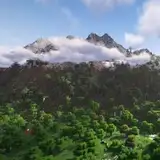
MC Real World Maps - Sydney 5m resolution [16k]
Added 2024-02-25 01:03:45 +0000 UTCThis map is part of the project of making real world maps in Minecraft using very high resolution geographic data, started recently with the release of Italy Map at 30m resolution and Central Europe Map at 50m resolution.
This time the work is focused on Sydney, Australia, at a resolution of 5 meter. It means that a block in the game corresponds to 5 meters in the real world
Subscribing to this channel you can request a Minecraft Map of your favourite place!
Join us on Discord: https://discord.gg/SXvNS8x2pJ
Altitude Map

Biome Map

21 JourneyMap waypoints are available, making the exploration through the map a lot easier

The resolution of the map is 5m (1 block in Minecraft corresponds to 5m in the real world).
The altitude of the map in the real world ranges from -391m undersea to 571m. Vertical resolution of the map is 5m. In Minecraft, the lowest point on the map is at 7, while the highest point is at 175. Within the map there are 9 different biomes that vary mainly based on the altitude above sea level.
List of the biomes used:
Plains
River
Beach
Flower Forest
Taiga
Snowy Taiga
Warm Ocean
Ocean
Deep Ocean
Map details:
Map name: Sydney 5m
Map size: 16304 x 15587
Map resolution: 1 block in the game correspond to 5m in the real world
Map files size: 4.6gb compressed, 6.7gb uncompressed
Minecraft version: 1.19+
Data used to process the map:
NSW Government - Spatial Services 1 and 2 meters data for Sydney City - cubic reinterpolation to 5m
Geoscience Australia 2015 5 meters data for areas outside Sydney City
GEBCO 15arcsec resolution bathymetric data - cubic reinterpolation to 5m
IGISMAP data for coasts - rasterization at 5m resolution
Geoscience Australia - Surface Hydrology Polygons for rivers and lakes - rasterization at 5m resolution
Feel free to request a reprocessing of this map at different scales or a specific area with higher resolution. Bugs are always possible, please report them!
Map Download Link + JourneyMap waypoints : https://drive.google.com/file/d/1ck21e8RGfB4Tpkf3Nw_Oyri_44bQTfM8/view?usp=drive_link
In-game screenshots:


Comments
Hi, just got linked here from planetminecraft.com to download this "download for free here"......unfortunately can't afford :(
Adam Podnar
2025-01-08 03:30:32 +0000 UTCI'll work on it, stay tuned!
AtmosphericBeats
2024-03-26 23:00:16 +0000 UTCHave been trying but just when I think I've got it, I don't seem too. Any help would be incedible! My class would be sp appreciative! :)
Rob Ernsteins
2024-03-26 02:09:22 +0000 UTCWere you able to convert the map? If not, I'll try to do it in the next few days
AtmosphericBeats
2024-03-25 12:57:49 +0000 UTCThat would be amazing! Thank you. I have spent upwards of six hours trying to convert it across so I can deploy it in Minecraft Education. Any help would be amazing :)
Rob Ernsteins
2024-03-25 02:00:15 +0000 UTCAwesome! Regarding using it on Minecraft Education, you have to convert the map using a software like Amulet If you have any problems doing this, feel free to contact me, I can deal with it Thank you for subscribing!
AtmosphericBeats
2024-03-23 10:59:38 +0000 UTCJust got it working!!! Thanks very much for the help though! Love the map!
Rob Ernsteins
2024-03-23 10:55:38 +0000 UTCThanks for the quick reply. I can't get the map to work when I go into the games. My previous map is there but not the Sydney one. No doubt a stupid error on my behalf. This is all part of a longshot to try and get it to work on Minecraft then somehow convert it to Minecraft Education to use with my students. Is that even possible?? Sorry - not sure how to send pic. I have access to Java or windows version through Xbox Live on PC with the latest version. There are only two folders appearing in the saves folder, SYdney and New WOrld
Rob Ernsteins
2024-03-23 10:39:28 +0000 UTCHello Rob, can you please send to me a screenshot of your %appdata%/.minecraft/saves folder? What doesn't work, the world or the JourneyMap waypoints? Minecraft version?
AtmosphericBeats
2024-03-23 10:25:25 +0000 UTCI have subscribed, downloaded and spent 3 hours trying to get it to work following all instructions but to no avail. I have placed the downloaded folders in the cprrect instructed folders but it doesn't work. Any help would be awesome!
Rob Ernsteins
2024-03-23 10:18:12 +0000 UTC