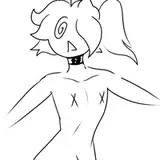
Here’s a little gif showing the best way to use a base, once you have selected which add ons you want from the layers, set your body layer to 30-40% opacity using the slider, than erase the parts that overlap, you’ll need to do this with other layers if add ons overlap too! Once there are no more overlapping lines set your body layer back to 100$ opacity, use the merge button on your program to merge the line layers into one (don’t merge it with a white background layer, it will be unusable, you want it to be its own unique layer, once you have your completed line layer, create a layer UNDER the line layer and place your colours there, placing the colours directly onto the lines will result in uncoloured areas! Your program should have a select tool, use that to select the part you want to colour on the line layer, and then switch to your colour layer undeath and fill it in! Boom! You should now have a coloured piece of art! I suggest to use multiple colour layers so you can adjust the colours for different parts like the eyes, the hair, the torso etc!