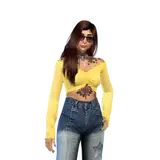

Hello Patrons and the outside world as well! Sorry for a bit over a month of quiet. I've been busting my butt working on Umi, my writing, and even more of my writing, so there's been a lot to do.
I have just completed work on v0.3 of Umi. This is a major step up from v0.2 and represents a huuuuuge epoch leap forward. For weeks, I've seen lots of people asking what makes Umi different or better than the traditional Wildcard Extension by adieyal. Essentially, Umi has just gained a huge powerup in the form of YAML files.
But first, if you haven't already, check out the new Umi Install Guide! It's far simpler than before and is essentially a 5 step process now. No more fiddling with dependencies or other dumb crap.
Now, let's talk about the new YAML Update and why this is a monumental step forward for AI.

When Umi AI launched, it was a simple Wildcard system with the ability to look into other wildcards recursively. But from the very beginning, I knew the system was going to get tangled and annoying, and it would never be easy to allow people to make customized prompts unless I could make a big change.
Every version of Umi AI has essentially been ONLY a Character Generator. You could generate random SFW prompts, or random NSFW prompts. Nothing else.
But NOW... the power is in your hands! Just look at the size of Umi's folder before and after!
Before:


AFTER:

That's it! The entire folder for Umi's wildcards is just 8 files now. I could even remove three of them and shrink it down to five if I want, but instead of one BIG Yaml file, I decided to do four similar-sized ones.
...
So what in the god damn is a YAML file? Who cares? What does any of this mean? Let me explain with another visual.
This is a Wildcard file. It's just a list of tags. If you want to equip a character with a pair of pants, shorts, jeans, whatever... they're all in this one big 'lower body' file. It picks one random entry when you load the file and inserts that into the prompt box.

Now compare. THIS is a Yaml file:

With a Yaml file, each and every single entry can get tags associated with them. What I did was look at, for example, the Lowleg Bikini, and assign it tags based on how it tended to generate when I generated 50 examples of characters wearing a Lowleg Bikini.
The YAMLs are still very much a WIP, and there will be further iterations and improvements, but let me just give you another example of what this means for Umi.
Before:
__SFW__ = Generate a random SFW prompt. It can be literally anything in the files.
After:
<[Preset][SFW]> = The exact same thing as the above. BUT, you can also do...
<[Preset][Doujinshi]> = Want to generate one of the random doujin prompts I've added to Umi? Use this code.
<[Preset][Angels]> = Want to generate a random angel from the Species list? Use this!
<[Preset][Angels][Male]> = Only want to generate a Male Angel? Use this!
<[RandGirl]> = Want to generate a simple female character? Use this code. I have included two options to start, and this is a shortcut that calls them, but in the future I will be adding way more ways of randomizing girls.
<[Vampires]> = Want to generate one of the random vampire girl prompts I added in the last update? Here you go!
And hey, maybe you want a bit more customization in your live, eh? You want a semi-random prompt where you control the fine details.
No problem!
__Art Styles__, <[Camera Angle]>, <[Pose][--Location]>, <[Location][--Pose]>,<[Emotions]>, <[Age][Adult][Female]>, <[Torso]>, <[Waist]>, <[Gloves]>, <[Headwear]>, <[Jewelry]>, <[RandHair]>
That prompt will generate a full randomized adult woman. It will choose a random art style from one of the 800 included styles, it will assign a random camera angle, a random pose, a location, give the woman a random emotion, give her one piece of Torso and Waist clothing each, give her some random gloves, a piece of headwear (Hats, horns, maid headdress, etc) and finally, it will give her a random hair style, length and color.
...
But maybe you want to fine tune that a bit. NO PROBLEMO!
__Art Styles__, <[Camera Angle]>, <[Pose][--Location]>, <[Location][--Pose]>,<[Emotions][Positive]>, <[Age][Young|Adult][Female]>, <[Torso][SFW]>, <[Waist][SFW]>, <[Hands]>, <[Horns]>, <[Jewelry]>, <[RandHair]>
This is similar to the previous prompt. But now, you have a 50/50 of generating a young girl or an adult, you will only generate positive emotions (Like smiling and happiness) and the torso/waist clothing you generate will only be SFW. You also specifically generate horns instead of any piece of headwear.
In an upcoming update, Umi will add Autocomplete for its tag functionality. You will also be able to see how many individual prompt tags are used by the Umi tag you want to select.

I have a LOT of things I still need to work on for Umi AI. Let's start from the top and work out way down.
- Guide for Umi's new features. The new <[Tags]> are unbelievably good, but it's not immediately obvious what all the tags are or what items they'll bring up. For the record, you can find an up-to-date list of ALL the Yaml tags in this file on Github. I will still be writing a Wiki entry for this and linking it when it's ready.
- Prompting guide for Umi AI. This goes along with the previous entry, but I will be doing a deep dive not only in using Umi to prompt, but the art of prompting in general. Look forward to learning about my recent experimentation with ChatGPT and other things.
- A guide to checkpoints and models recommended for Umi AI, and just for general purpose needs as well.
- A settings guide for WebUI. Because it has a LOT of settings and that deserves its own guide.
- Guides for txt2img, img2img, inpainting, outpainting, and all that other fun stuff.
- MORE Umi AI content. Like I said in my previous post, I plan to add metric fuckloads of new species to Umi AI.
- MORE tags. Right now even the new YAMLs have an issue in that, for instance, I have a tag for Turkish and Spanish clothing, but I don't think I ever saw one piece of clothing in that vein? There are tons of things that could stand to get added, and I WILL be adding them as time goes on! Expect Umi AI to become the biggest and most stable/reliable collection of solid wildcards on the internet.
- Fine tuning of some YAML tags. When I first started tagging, I was really sloppy and didn't know what I was doing. The first half of Clothing.yaml has too many useless tags, and I need to retroactively fix them.
For those of you who want to make good use of Umi's new tag system, remember to look at the Yaml Tags.txt file in your Umi directory. It has all the tags I used in the files. And if you're not sure what tags to use, pop onto the Umi AI discord and just ask! I'm pretty quick about answering questions.
Now then! I have many more things to do! If you have questrions, ask me on the discord or in these here comment sections! And if you want to support my work in making the ultimate character creator, why not sub to my Patreon? I'm dirt poor and suffering from the checks watch 18th financial crisis of my lifetime! Yaaaaay!
I'll be seeing you guys, bros!