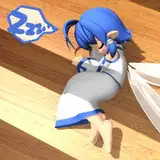
10x the original speed! The real time video is attached below so you can see my process :3
In the beginning of the real time video I just explore sketches, in the middle is my lineart and towards the end is my coloring process!
Some lil tips you may like that I do! [Works for all programs]
1) I duplicate my lineart and set a gaussian blur to it. It kinda "softens" my lineart, I like that look a lot!! Sometimes I change my blurred lineart color to red for example. Then it has like a soft red look to it!
2) I alpha lock my lineart and I colored a gradient over it. I believe I used dark red and dark purple! So my lineart is not pure black, it's a mix of colors!
3) After doing your flat colors, grab a big soft edge brush like an airbrush and pick like a light red/blue (I enjoy using light blue here) and lightly airbrush an area. When you're done it'll look as if a soft red/blue light is hitting that part. You can also change your layer modes to help with this. I like using hard light/soft light for this! Hard light is bolder than soft light, but if you turn down the opacity for hard light it basically becomes soft light!
A lil tip that doesn't have to do with programs is that when you're doing lineart and you're stressing, just remember that it doesn't have to be neat. Nor do you have to close all your gaps. It doesn't matter if your lines don't match up. Literally, lineart is one of the most fun part in drawing for me because I stopped thinking too hard about it!!! Don't think, just do is my motto haha!
Alrighty that's about it for this post! My elbow is doing the hurt again so I'm limiting my drawing time! There won't be much updates till it gets better! Hope everyone takes care!
Have a safe and lovely day,
-Diana