If you are a veteran studio user, the information below will not be of much help.
This post is very long!
-
I will use Part 1 of Scene 04. (It is very easy to change the piston scene, so i will use the breasts and blowjob parts.)

This scene used a B-type character. Let's change to character A-03.

Leave the costume as is and apply 'replace'.

FK&IK is turned off. Let's apply this again.

Since the body dimensions of types A and B are the same, changes can be made very easily.
If you change your character with a completely different body and head, this can be a very difficult task.

When changed to C type.

To adjust this, there are a lot of things that need to be changed, such as node values and hand positions. But If you veteran studio user, it doesn't take that long.
-

Let's change the blowjob scene that has nothing to do with breasts to type C.

Since the mouth shape and size of each character are bound to be different, the position becomes distorted like this. Let's adjust the values by clicking 'Show bonemod'.

Find 'cf_J_mouthbase_s' and change the value. (In my case, I saved it to my favorites.)
And let's change the position of the dick navigator to fit the character's mouth.


You can change the mouth to vulgar to suit your taste.
This time, I will take a completely different character and change it to my character body base and work on it.
This method is often used by sellers of clumsy characters.
Character cards with very large bonemod changes take quite a long time, so I took a suitable one shared on Discord.
https://kenzato.uk/booru/image/G4hw4l
I apologize to the original creator of the character.

As you all know, the lighting and mode are different for each user, so it is very common for a character to look like a different character when loaded.

Go back to the beginning and check only the hair, face and body bonemod values and load the rest with the settings turned off.

Then, the same card is ‘fusion’ as is.

This method is very useful because all modified parts of the 'material editor' will be reset.

just save it.

After loading the C-01 character, load only the hair, face, and facial bonemod values from the card saved earlier.

I have loaded it.

I changed the hair color and erased the applied paint.

I touched up the facial type and makeup and fixed some of the figures a bit.
'Facial type' is very important. Faces look completely different depending on the lighting.
You can create a character very easily. Everyone, please give it a try.

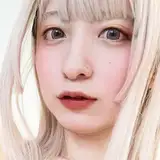
Applied example. (The face looks a little clumsy because it was roughly made in 5 minutes.)
As long as the body base is the same, changing the character in my scene file is very simple.
If you have any other inquiries, please send me a DM.