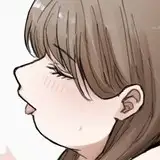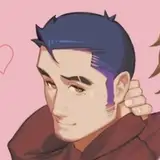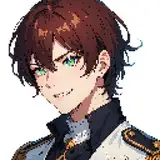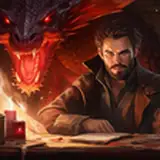
You all loved the KhnfuCat Cheese slap so much, that I just had to make it available for even more avatar bases!
Ever wanted to slap a someone with cheese?
Well now you can with support on over 20+ different avatars!
This Prefab has drag and drop support with included universal prefabs that can fit on even more avatars!
All currently supported avatar bases have custom fit cheeses with blendshapes to work with Blendshape Link via VRCFury. The universal cheeses are structured to be edited in Unity manually.
*More base prefabs will be added in later updates, contact via Twitter or Discord (Linked below in contact section) to request a base to be added. (I only have been looking at bases that are somewhat popular, if you have a specific request we may talk some compensation for it.)
- Added ARKIT blendshapes on WP Masc Canine
- Fixed Novabeast blendshapes
*This was inspired by the Cheese Slap for NKD Protogen & the Mayu base by Azuki
Parameters & Materials:
Contact Points:
Other:
VRCFury Mentions:
In this prefab, there are over 20+ included avatar bases where you are able to simply drag and drop the respected asset onto your avatar hierarchy.
The prefab designed for the intended avatar base will fit directly onto the base and has the contact points moved to the correct positions. This also includes the cheese FBX designed for that base including Blendshape Link via VRCFury. The Blendshape Link will adjust the cheese to fit avatar visemes, facial adjustment shapes, and most of VRC Face Tracking shapes as well.
The custom cheese FBX will not work properly on modified bases, please use the included Blender file to adjust as needed.
You must use one of the newer VRC SDK's which can only be downloaded through VCC, otherwise you are more than likely to encounter issues.
Poiyomi Toon Shader(Recommended Release 8.1+)
VRCFury*All prefabs are made with VRCFury to enable drag and drop installation
Allowed
Not Allowed
If you do contact me about adjustments or requesting an avatar base, please mention that first in the message! (too many bots randomly messaging)
Twitter (X)Discord DMSlap with Right Hand
Remove with Left or Muzzle (head)

*many more avatar bases will be added in later updates! Check the twitter for updates and more!
This Prefab requires the following assets and prefabs pre-installed before importing:
This Prefab should be drag and drop onto the avatar, simply drag the Prefab matching your avatar base onto the avatar hierarchy and upload!
Chose the correct prefab!

Drag and drop prefab onto avatar hierarchy


Verify positioning by turning on these objects

Turn off the same objects if it looks good and upload!

mowmowmowmow
In this video, I show you the general setup of the pre-made versions of the prefab. These are to only be used for the supported bases as they use FBXes & blendshapes to fit those bases.
In this tutorial I show you how to swap the FBX, add blendshape link (only works if you added blendshapes), and swap the materials.
In the video I just used a FBX I already had made, but you're more than welcome to create your own using my included blender file as reference!
In this video, I show you how to use the Universal Prefab made for all (or most) avatar bases. This FBX has blendshapes made to help fit to your designated avatar with minimal clipping. If your avatar base is currently supported, please use that prefab instead!