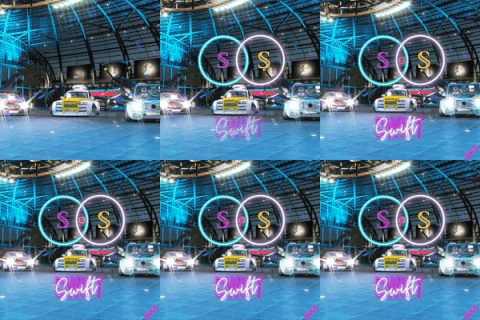
The VE repository now has a new structure that better separates the core engine from the demos, games and devlog animations.
Instructions for accessing the repository are available here (paid Patrons only).
The video above shows each demo within the labs project. More images and videos are available on Dropbox.
There are now 5 solution files:
games - contains the Low Poly Forest renderer, and a simple platformer game built using Box2D
fvc - the standalone Floating Voxel Check demo
devlogs - contains animations for devlogs I'm currently working on. Check it out for some sneak peeks!
demos - this is the main one you'll be interested in. More below
all - contains every project, it's the one I spend most of my time in

Most of the interesting code is in the demos solution, which contains multiple projects:
examples - very basic examples demonstrating core VE features: animation, 3D audio, model rendering, shaders, textures and UI
labs - more advanced demos: terrain, vector fields, animated models, cloth physics, raymarching, etc
network - ENet basics, lag compensation, packet delay detection
stutter - multiple approaches for updating meshes in real time
voxel - multiple approaches for rendering voxel worlds
vulkan - very basic Vulkan demo

There are some common shortcuts across the projects:
Press left/right to change between sequences
Press F1 to open the CPU+GPU profile timeline (bottom row is GPU)
Press F2 to pause the animation
Press F9 to change to free-fly mode, which lets you view the animations from other angles (use WASD, shift and the mouse to move around)
Press R to restart the animation
Check out this cool triangulation-dissolve effect that I'm using in my next youtube video:

I've also created an OpenGL Screen Recorder that asynchronously reads back each frame that's rendered and exports them as PNGs. Then I can use ffmpeg to collate them into an MP4 video file. It's not finished but I may use it for automating devlog recordings in the future.

Screen recordings are available on Dropbox
I've also rendered a cloth using the same gl_VertexID approach from the fern + terrain videos to create the mesh and animate it in the vertex shader:

My graphics tablet arrived last week and I've loved using it. I'm learning more about lighting, materials and colour, which will carry on into my engine and rendering projects.
My goal is to draw the grass, plant, wood and rock textures for the low poly renderer. Here's one of my drawings so far:
That's all for this post. See you next time!