Hey there!
I'm always looking for ways to improve the quality of the game. This includes reducing the file size, improving render quality and dialog as well as UI and other functionality.
This time, the animations received a (small) quality boost. I switched up how I convert them. But for better understanding, let me give you a quick breakdown of how Daz 3D produces animations:
You can either produce the animations directly as a video file or as an image series. However, no one uses the direct video output, because if an animation with a render time of 10 hours is cancled after 9 hours, because Daz crashes, Windows forces a restart, or the power goes out, the entire file becomes corrupted and you can start all over again.
Therefore I use like almost everyone else the output as a series of png files.
However, my old method to turn these images into a movie file caused some loss of quality.
With the new method the quality is (much) better, especially on darker animations. It's still not lossless not because I couldn't do that now, but because the movie file would be gigantic if I did.
Now we have better quality with about the same file size.
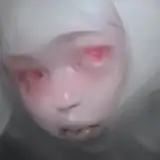
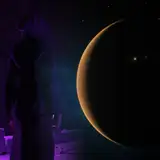
Here some examples:


All new animations will use the new method and over time I'll replace old animations with the higher quality ones.
Until next time, and have a great week!